Best Basecamp Alternatives in 2025: What You Should Know
Vladyslav Chesnokov
Copywriter, if.team
Oleh Frolov
CEO, if.team
Many teams will find an overview of the best Basecamp alternatives useful. Exploring available options doesn’t diminish the value of the service itself. Basecamp has long been familiar to many teams as a simple way to organize collaboration. It offers to-do lists, chats, file storage, and other tools without unnecessary settings.
However, as teams grow, the demands for flexibility, reporting, and automation increase. What worked well yesterday may slow down processes today.
More and more teams are moving to platforms that allow them to customize workflows, adapt quickly to changes, and save time on routine tasks. This review highlights several such options. You will learn about Basecamp alternatives like ClickUp, Asana, and solutions from Ukrainian developers. For example, if.team is a platform developed to meet the real needs of local businesses.
What is Basecamp and Who Is It For
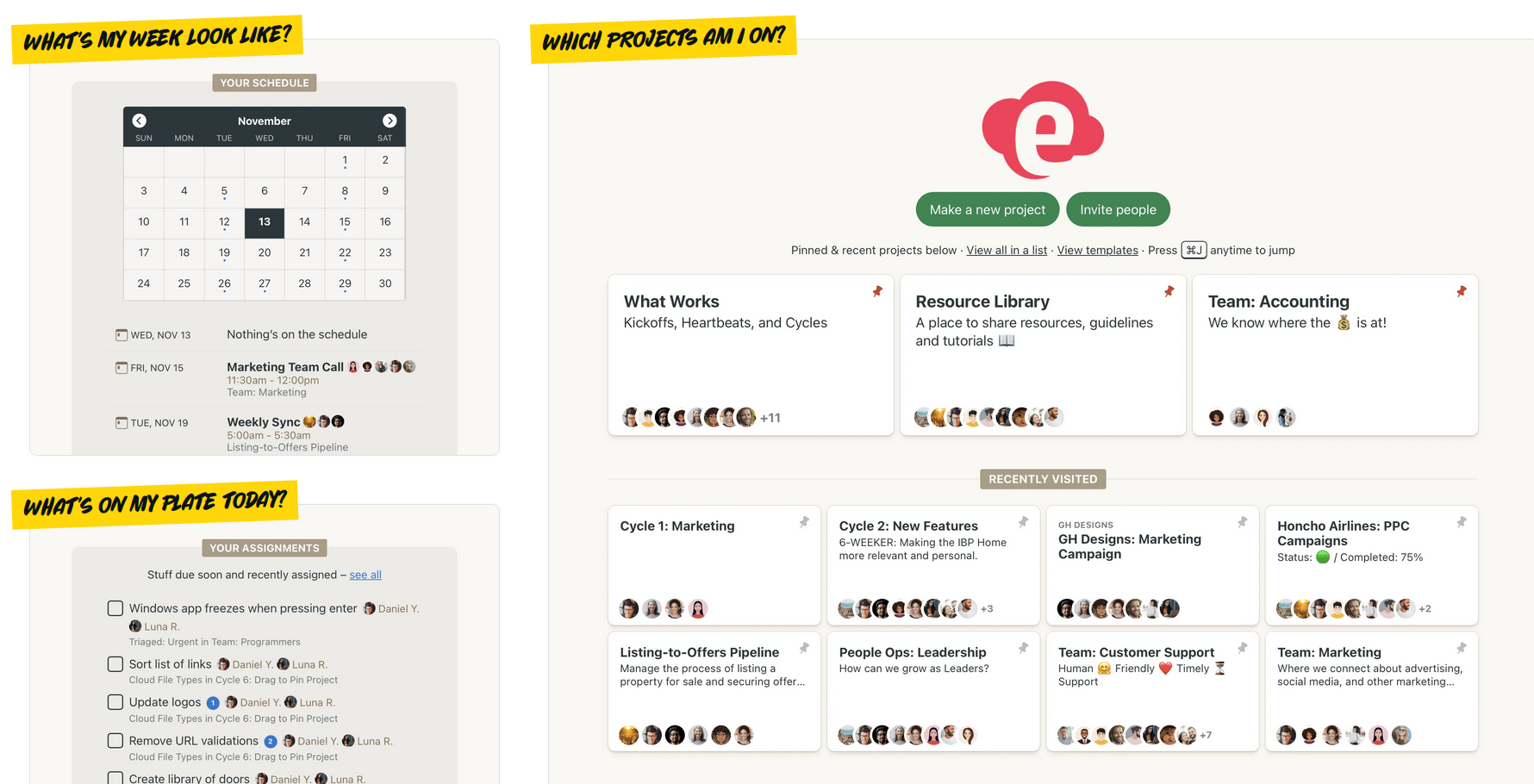
Basecamp is a team collaboration platform with essential tools: task lists, chat, file storage, and a calendar. Everything is designed to be simple, making it easy to manage all work in one place.
Basecamp works in a browser and has mobile apps. You create a project, add team members, and can start working immediately. Tasks can be assigned with deadlines, discussed in chat, documents can be stored, and deadlines tracked in the calendar.
This service is ideal for teams looking to organize work quickly without complex settings or unnecessary features.
Who Benefits Most from Basecamp
Small teams with simple processes.
Projects where collaborative communication is more important than complex automation.
Users who value minimalism and an intuitive interface.
Basecamp Limitations to Keep in Mind
Minimal functionality for scaling workflows.
Lack of advanced automation, analytics, and CRM tools.
Limited integrations that may not cover modern business needs.
As businesses grow or project complexity increases, these factors often encourage teams to look for more flexible solutions. Below, we provide an overview of the best Basecamp alternatives.
Choosing Basecamp Alternatives in 2025
By 2025, the requirements for project management tools have grown significantly. To select a platform that ensures convenient and efficient work, pay attention to the following criteria when evaluating Basecamp alternatives.
Ease of Use and Accessibility
The platform should be accessible to every team member. It must be understandable for technical specialists, managers, and clients alike. An intuitive interface, logical navigation, and minimal settings help teams get started quickly and avoid unnecessary questions.
Flexibility in Workflow Customization
Different projects require unique approaches. It’s important that Basecamp alternatives allow you to:
Easily create and modify task statuses.
Set up templates.
Add fields and automation rules.
This ensures the system can adapt to real needs rather than imposing a single rigid format.
Support for Remote Work and Collaboration
Modern teams often work in a distributed environment. The platform should facilitate smooth communication through:
Comments.
Messages.
Task discussions.
Real-time notifications.
This helps prevent information loss and delays.
Integration with Other Services
To maintain seamless workflows, synchronization with email clients, calendars, cloud storage, and CRM systems is essential. A platform with a rich set of integrations reduces data duplication and saves time.
Reporting and Analytics
It’s important to understand how work progresses, who is responsible for tasks, and where potential risks lie. Ideally, the platform provides tools for generating reports, charts, and monitoring team productivity.
Localization and Support
For Ukrainian teams, this is especially important. Native language support, accessible customer service, and consideration of local requirements are key components of a comfortable and efficient workflow.
Basecamp Project Management Alternatives: Real Options
Basecamp is a simple solution for organizing team work, but sometimes it’s not enough. If you’re looking for more flexibility, automation, or convenient reporting, here are several services that can meet these needs.
ClickUp
ClickUp is a versatile platform where you can manage tasks, create documentation, plan deadlines, and communicate with your team. It’s often highlighted among Basecamp alternatives.
Key features:
Work with lists, subtasks, and checklists.
Kanban boards, calendar, Gantt charts — choose the view that works best for you.
Automated routines — reminders, recurring tasks, status changes.
Built-in analytics — for teams that want to track metrics.
Integrations with other services — Slack, Google Drive, Zoom, and more.
ClickUp is ideal for teams that want a full overview of what’s done, what’s pending, and where progress is stuck. It replaces multiple tools at once and offers more control than Basecamp.
Asana в огляді кращих альтернатив Basecamp
Asana is a good choice for teams that don’t want to spend time adapting to a new service. Everything is simple: create a task, assign an owner, and track progress.
Key features:
Multiple task views — list, board, calendar.
Comments on each task — no need to dig through emails or chats.
Simple system for deadlines, assignees, and statuses.
Integrations — email, cloud storage, Slack, Zoom, etc.
Asana works well for small teams that want a clean, visual, and straightforward workflow. Everyone can easily see who is responsible for what. Exploring Basecamp alternatives can also lead to other options.
Monday.com
Monday.com allows you to organize work in tables, build processes like a constructor, and quickly see where bottlenecks occur.
Key features:
Workspaces in tables and visual blocks.
Ability to create templates for typical workflows.
Monday.com provides a sense of order when tasks are numerous and scattered across teams. Its flexibility allows you to adapt the system to your workflow rather than the other way around.
if.team: a Simple Tool Covering Key Team Needs
if.team is designed for those who don’t want to waste time on complex interfaces and long learning curves. It helps organize work so the team spends less time in chats and gets more done. The platform is logical, minimalist, yet functional enough to support both small teams and growing businesses. It stands out as an effective Basecamp alternative.
Clear Task Structure Without Chaos
At the core of if.team is a familiar to-do list logic, but it’s more than just a checklist — it’s a flexible workspace where each task can be detailed, assigned, and tracked.
With if.team you can:
Add subtasks and checklists
Attach files and comments
Assign responsible team members
Set deadlines and track statuses
Group tasks into folders or templates
This approach avoids clutter. Everyone sees only their part of the work, while everything remains interconnected — ideal for daily tasks and large projects alike.
Automation of Routine Processes
Instead of recreating the same tasks weekly, if.team lets you automate once and reuse:
Tasks can repeat automatically at set intervals
Templates can launch ready-made sets of tasks for recurring work
“Folder-processes” can include all steps a project or order must go through
Teams save time on routine work: marketers can create a template for an ad campaign, and educational projects can quickly onboard new student groups. Everything typical is already at hand.
Contextual Communication
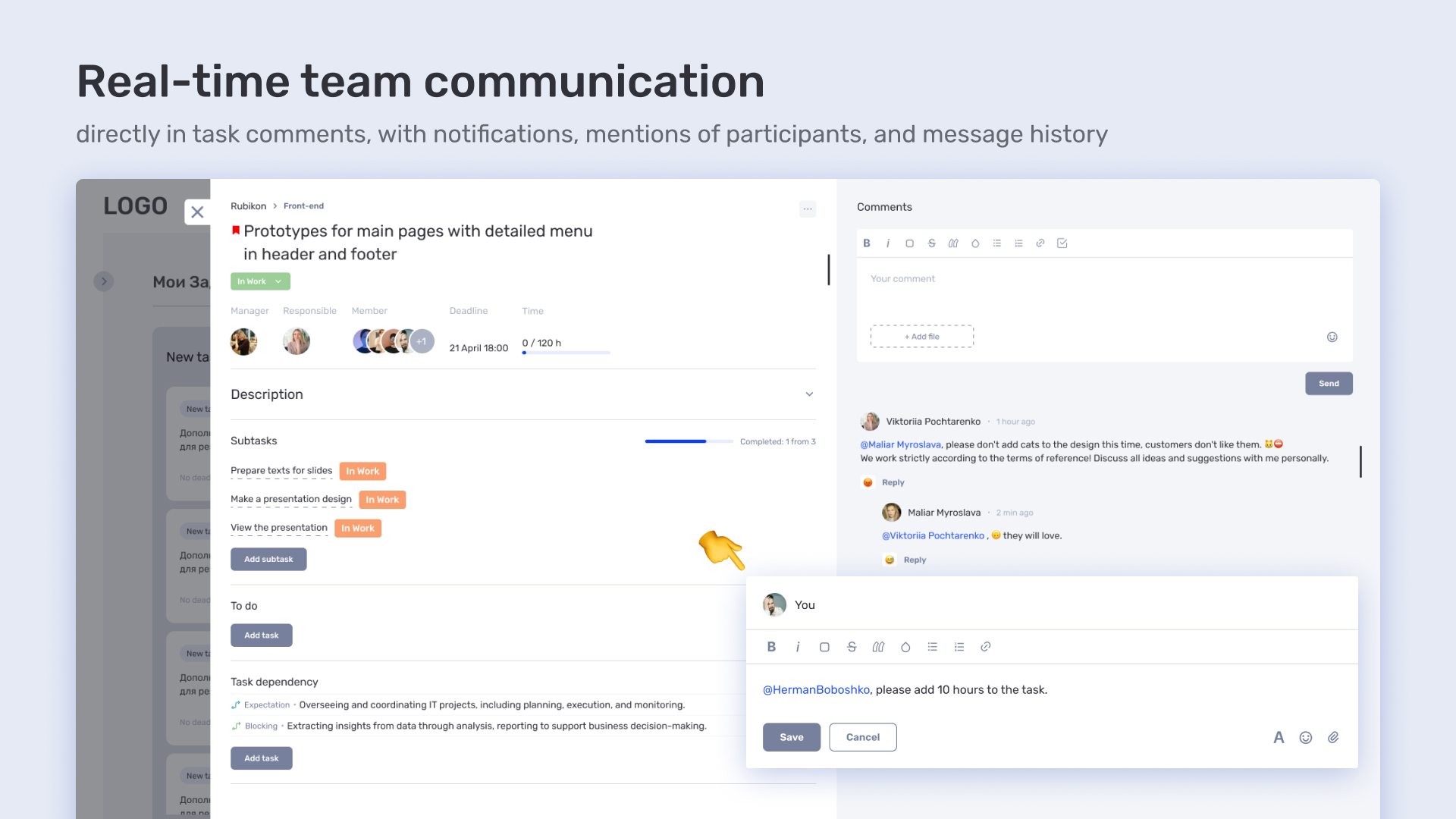
Task comments work as a compact internal chat. This prevents duplicating discussions in external messengers.
Available features:
@mentions of colleagues
Threaded replies
History of all actions — who did what and when
Result: fewer lost agreements, more transparency. All discussions are tied to specific tasks — no more searching through multiple chats.
Role-Based Access and Control
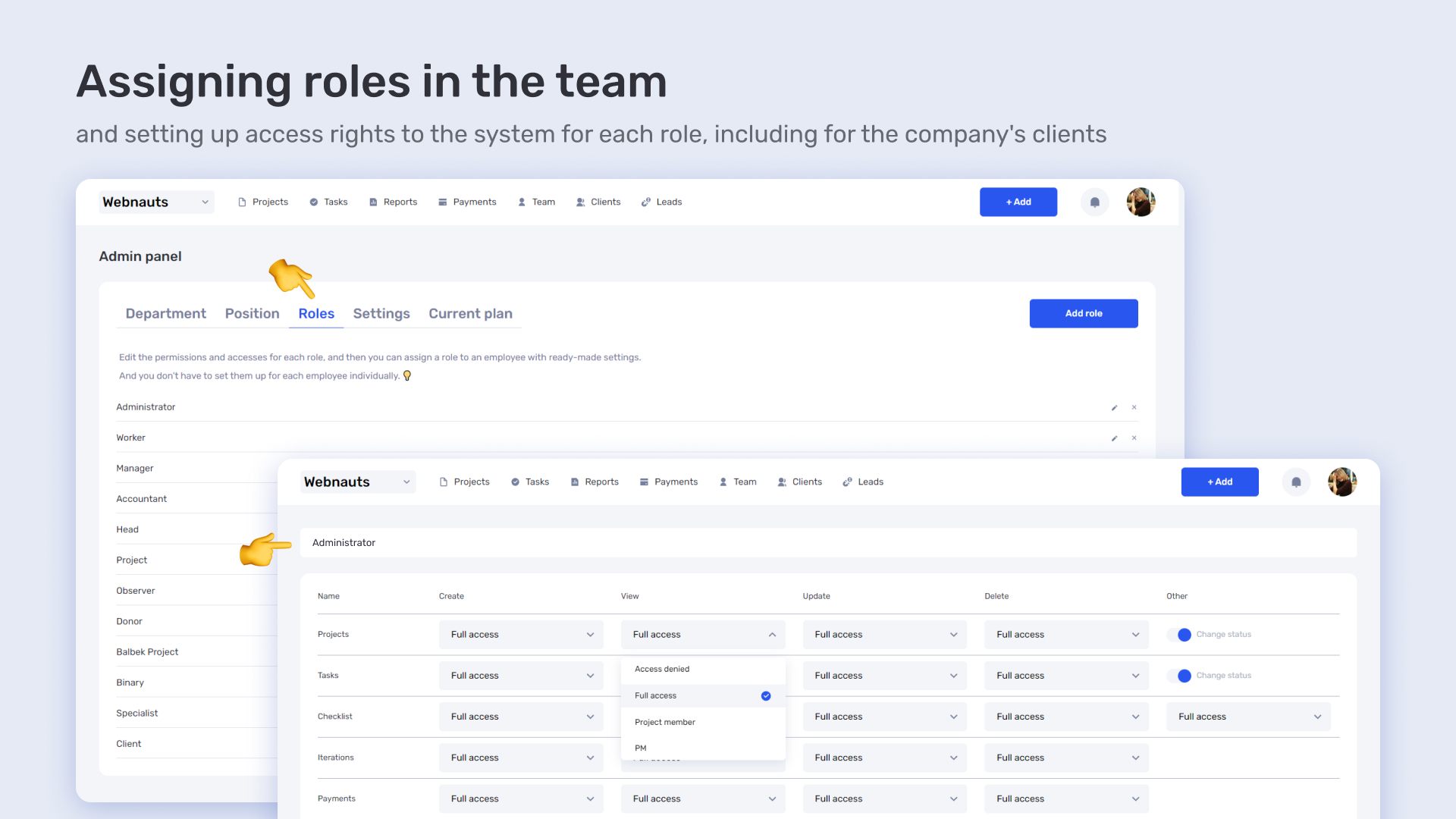
if.team allows configuring access so everyone sees only what they need. Useful for internal teams, clients, or contractors.
Popular features include:
Separate roles: participant, editor, observer
Ability to hide or show specific projects
Control over who changes tasks or statuses
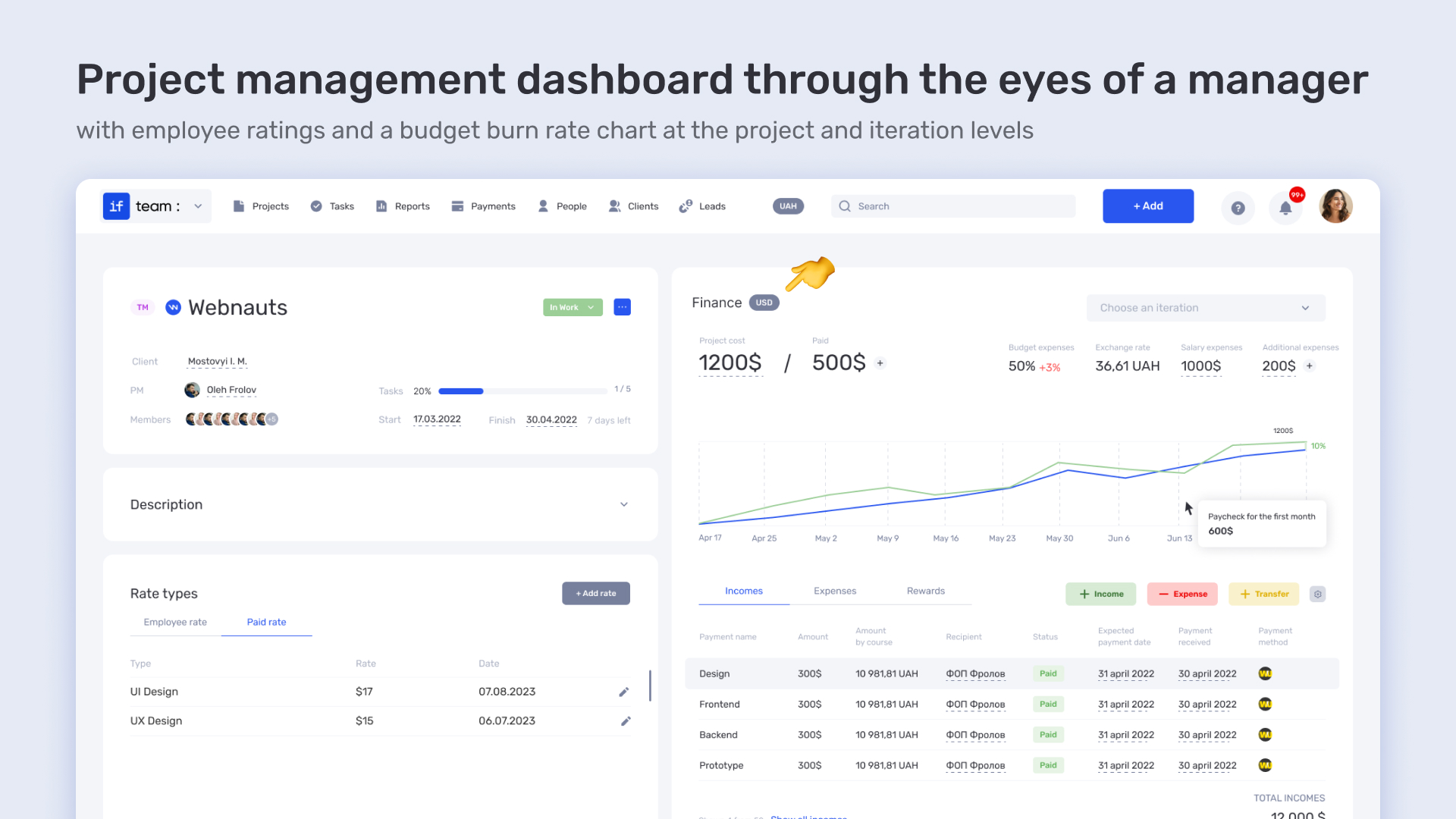
Progress and workload reports
This helps managers see the big picture without overwhelming team members with unnecessary details.
Scalable Simplicity
Despite its minimalist design, if.team suits not only small teams. Schools, creative studios, legal firms, and startups use it effectively. All core features are available immediately — no extra purchases or hidden limits.
Additionally:
Ukrainian interface and support
Intuitive interface, minimal learning required
Fast and stable performance, including on mobile
if.team provides a workspace that doesn’t get in the way, offering tools to organize, communicate, and track project stages efficiently.
Budget Burn-Down Chart: Track Work Progress
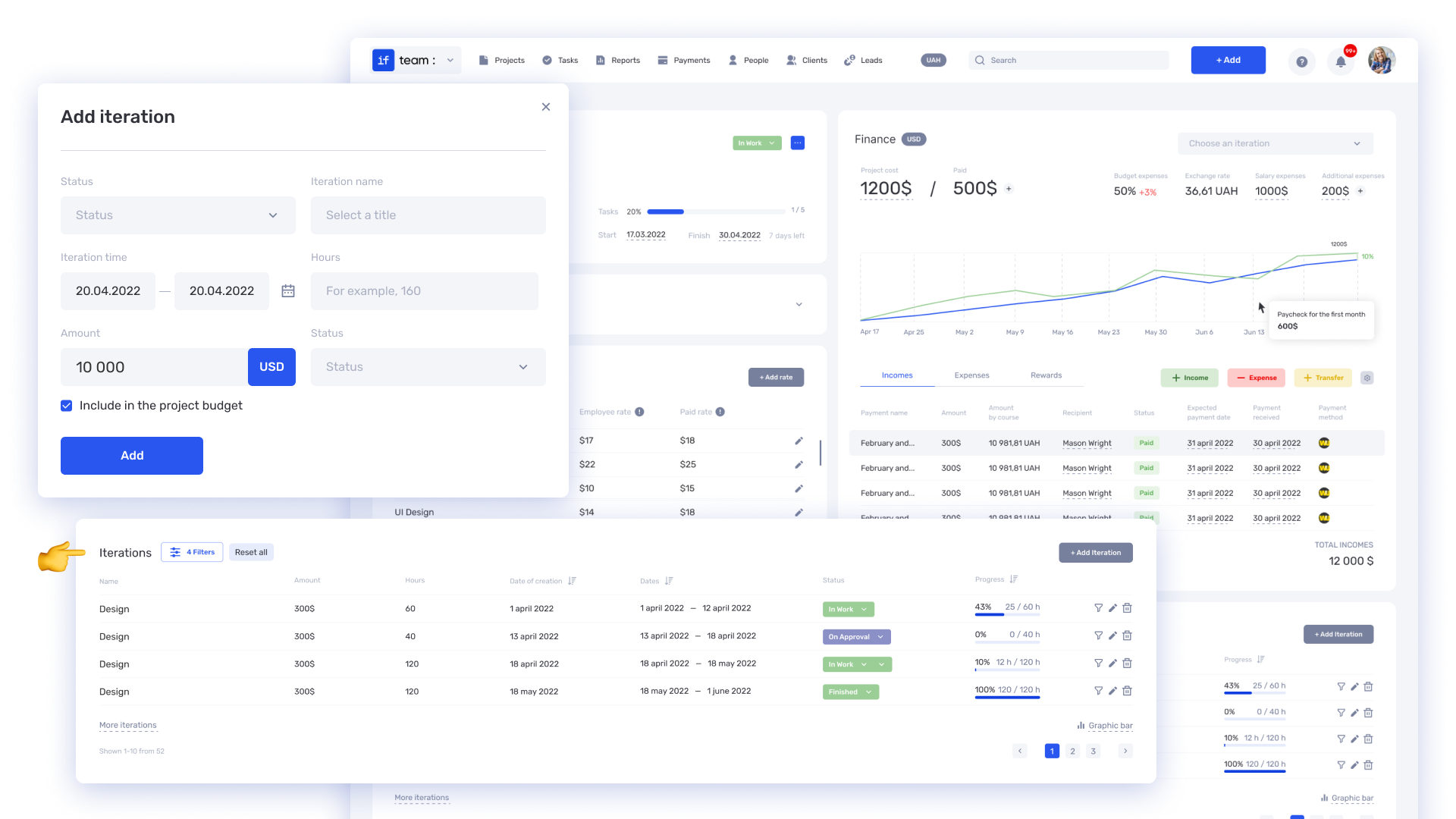
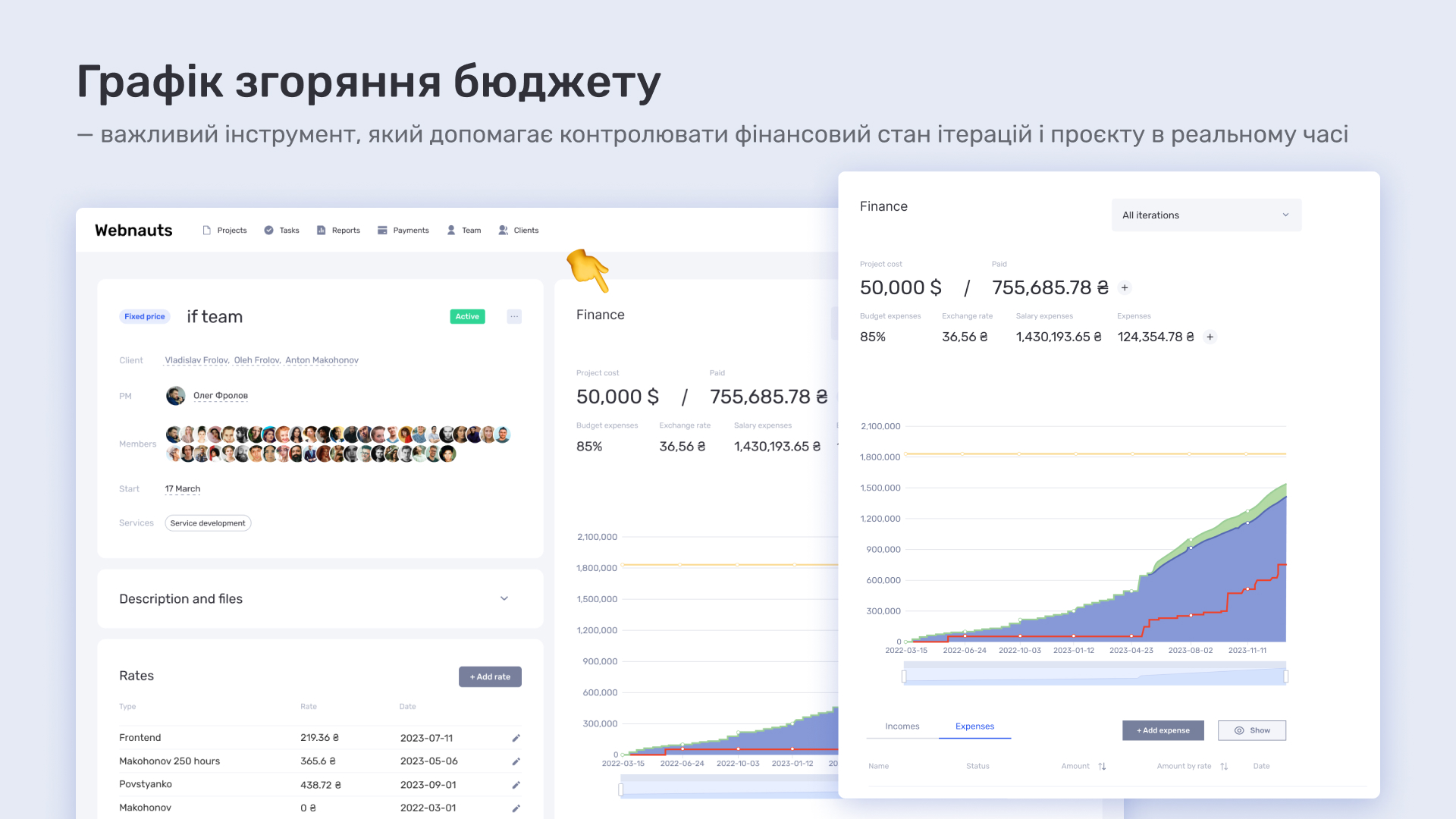
A unique feature of if.team is the budget burn-down chart, showing how the team spends resources:
See planned vs. completed work
Quickly understand if the team is on track
React fast if something stalls
Perfect for short sprints or strict deadlines
This feature benefits managers and team members alike. Everyone sees real-time progress. The visualization is simple and intuitive — no extra setup or Excel exports required. Open the platform and instantly see project status and where adjustments are needed.
Overview of Basecamp Alternatives: Feature Comparison
There are many project management services on the market, each offering a different set of features and capabilities. Basecamp is a simple and convenient tool, but for more complex or larger-scale tasks, additional options are often required. The table below compares key features of Basecamp and its most popular alternatives. This format will help you make an informed choice.
Platform
Interface
Features
Localization
Cost
Basecamp
Minimalist
Collaboration
None
Moderate
ClickUp
Flexible
Many tools
Limited
Moderate
Asana
Intuitive
Task organization
Partial
Moderate
Monday.com
Visual
Automation
Partial
High
if.team
Simple
Tasks, Finance, CRM
Full
Affordable
What This Means for You
If your tasks are simple and your team is small, Basecamp can be a convenient choice. However, for businesses that require more flexibility, advanced automation, CRM, and localization, modern platforms are a better fit. The platforms listed above were discussed in our review of the best Basecamp alternatives.
if.team stands out with full Ukrainian support, a wide range of features, and the possibility of local deployment. This makes it an excellent option for those looking for an all-in-one solution adapted to the real needs of Ukrainian teams.
Why Consider if.team
if.team is more than just a task management tool. It’s a Basecamp alternative that brings all essential functions into one place. This allows teams to work efficiently without constantly switching between different services or apps.
The if.team interface is designed to be simple and understandable for any user, regardless of technical background. Full Ukrainian localization and support make the platform comfortable and natural for businesses in Ukraine.
In addition to basic functionality, if.team offers useful financial tools. For example, the budget burn-down chart shows how much has been spent and how much remains. This helps identify overspending early and plan project finances more effectively, keeping budgets under control with minimal effort.
Choosing if.team gives you a complete workspace, not just a set of tools. It adapts to your team’s needs and helps work more efficiently, allowing you to reach goals faster and more conveniently.
if.team as a Basecamp Alternative
if.team is ideal for teams seeking a simple, localized solution with flexible task structures, automation, and customizable workspaces. The platform suits professionals in services, sales, education, creative industries, or small IT teams. It requires no complex setup or extensive training.
Basecamp focuses on simplifying team work: to-do lists, chats, discussions, and files in one place. It’s chosen by teams who value communication transparency and basic project organization without extra features.
Unlike Basecamp, if.team allows you to:
Structure tasks more effectively
Assign role-based access
Create recurring workflows
Work across multiple projects simultaneously
Benefit from local support
This makes it convenient for businesses that need not only process organization but also control, automation, and reporting. However, other Basecamp alternatives may also suit your needs depending on your requirements.
What is a KPI in simple terms? It’s one number or several numbers that show whether you’re actually moving toward a specific goal. Not how many actions you took, but whether a result appeared.
A KPI...
A bottleneck in business is the point where a process actually slows down. Not formally, but in reality. This is where tasks pile up, waiting time increases, and the entire system starts working more...
The RACI matrix helps teams quickly agree on who does what in a project: who performs the work, who is accountable for the final result, who provides expertise, and who needs to receive updates. When...