Project Risk Management Tool: How if.team Prevents Budget Overruns
Vladyslav Chesnokov
Copywriter, if.team
Oleh Frolov
CEO, if.team
Budget overruns aren’t just numbers in a report—they mean missed deadlines, team burnout, and lost client trust. Statistics show that 60% of projects exceed their financial plan due to unexpected labor costs, resource management blind spots, and forecasting errors.
if.team doesn’t just track problems—it prevents them. In this article, we’ll show you how to turn project risk management from firefighting into smooth, strategic planning.
Why You Need a Project Risk Management Tool: Key Challenges Businesses Face
Even experienced project managers struggle with budgets slipping away due to hidden factors. It’s not always about poor planning—sometimes, the issue lies in systemic gaps that are impossible to track manually. Let’s explore four key reasons why companies exceed their budgets.
Unexpected Labor Costs Due to Rework
Hourly wages are convenient, but they often become a source of financial risk. When a task takes longer than expected, costs can grow exponentially. For example, a developer planning to spend 20 hours on a feature may run into technical limitations, extending the workload to 45 hours. Without automated tracking, these changes are often noticed only after the task is completed—when it’s too late to adjust the budget.
Overlooked Minor Tasks and Revisions
Small adjustments to technical requirements, client revisions, or internal refinements are often left out of the initial budget. Over time, these seemingly minor changes add up, leading to significant extra costs. For example, ten small design tweaks—each taking just a few hours—can unexpectedly add up to 30 extra hours of work, eating into the project budget.
Uneven Workload Distribution
When some team members are overloaded while others have too little to do, two major issues arise: overtime costs and inefficient resource use. For example, if two testers are working at 120% capacity and earning overtime pay, while three designers are only 30% utilized, the company ends up overspending on one side while underutilizing resources on the other.
Lack of Control Over Client Changes
Scope changes after the initial agreement are one of the most common reasons for budget overruns. Every revision requires extra time, but unless these changes are properly documented, clients are often unwilling to pay for them.
Prevent Budget Overruns
Companies lose thousands every month due to uncontrolled expenses. Try if.team free for 7 days, and we’ll show you how to fix it.
if.team — A Proactive Project Risk Management Tool
Project management always comes with risks: budget overruns, missed deadlines, and unexpected changes. Spreadsheets and manual reports can track issues, but they don’t prevent them. if.team takes a different approach—it predicts risks and helps resolve them before they impact the project.
Cost and Workload Control. if.team brings all project aspects into one workspace. When assigning a task, you immediately see its cost—calculated based on an hourly rate or fixed salary. If the estimated time exceeds the limit, the system alerts you, allowing for quick adjustments, resource reallocation, or discussions with the client. The workload calendar highlights overburdened and underutilized team members, preventing bottlenecks.
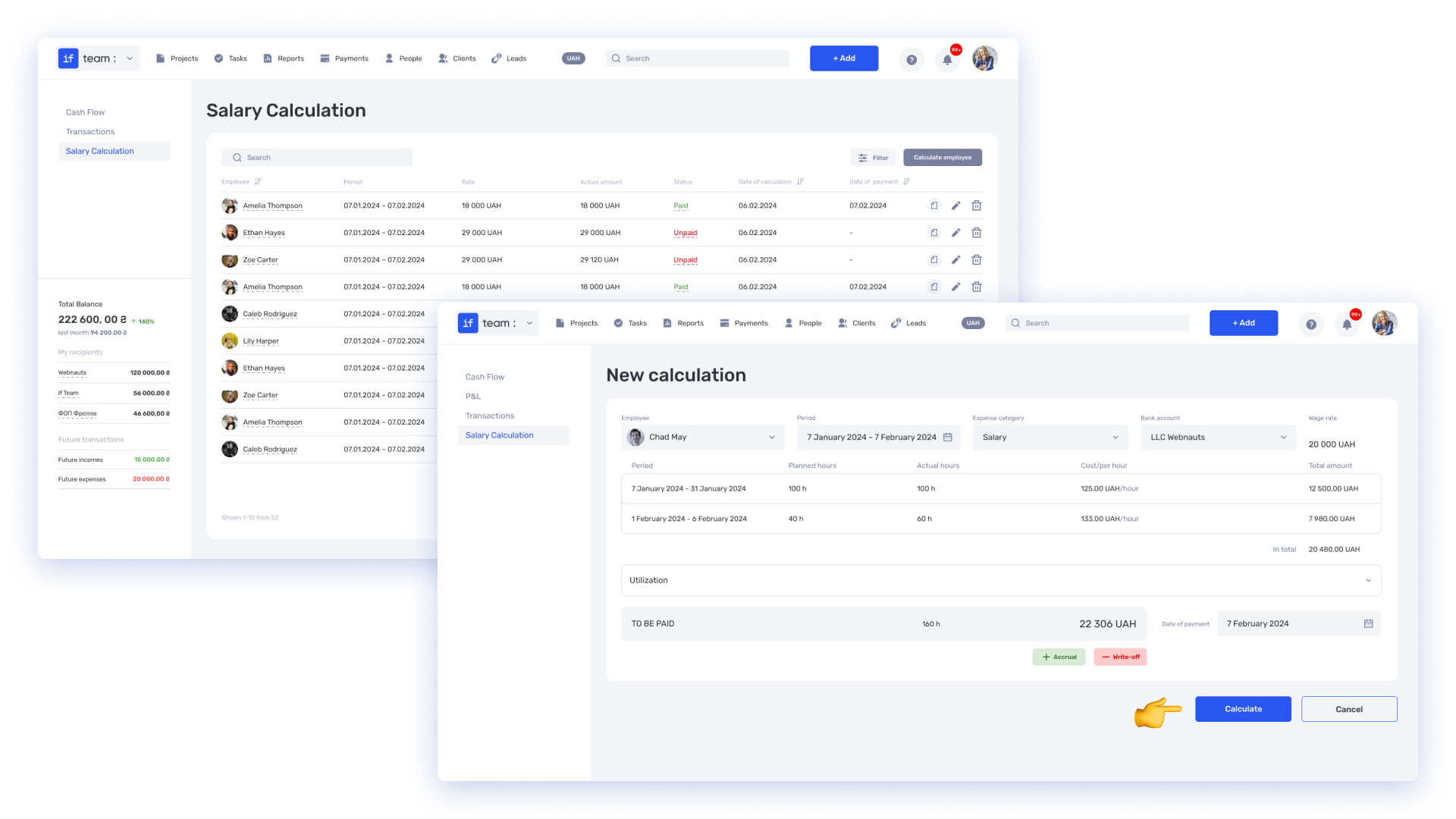
Effortless Financial Oversight. The financial module automatically tracks expenses, including salaries, operational costs, and client revisions. For instance, if a client adds ten small changes after the initial scope approval, the system logs them as separate tasks with costs attached. You instantly see the budget impact and can decide whether to charge extra.
Data-Driven Decision-Making. if.team turns risk management from a reactive struggle into a structured system. Every decision is based on real data—not assumptions.
Planning Stage: How if.team Helps Prevent Financial and Organizational Risks
Planning is the foundation for a successful project. if.team turns this process into a structured workflow, where every step is based on data, not guesswork. The system helps eliminate chaos in budgeting, resource allocation, and client communication.
Budget Planning and Forecasting
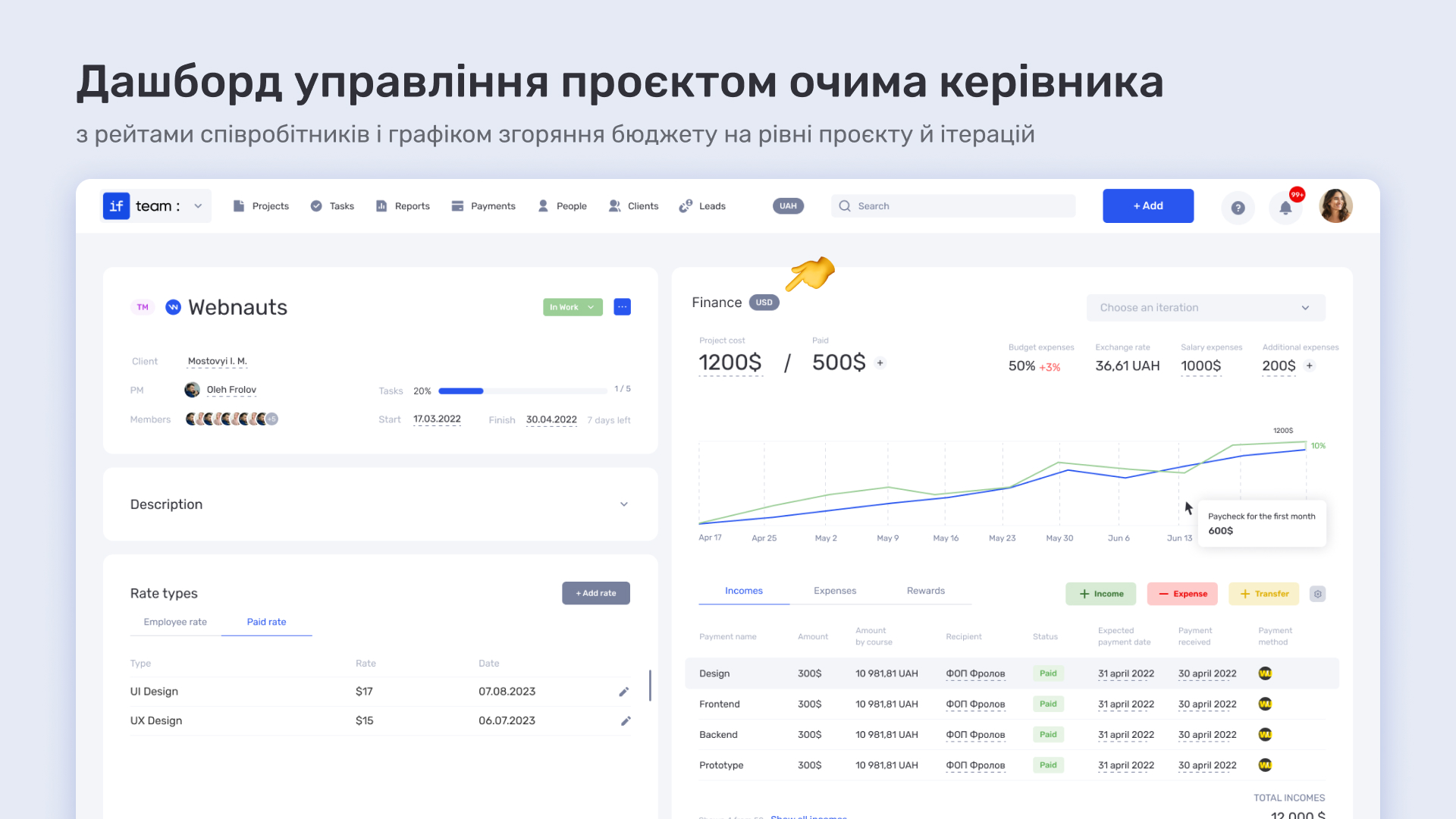
The financial module in if.team automates one of the most challenging aspects of project planning—budget calculation. The system factors in hourly rates, fixed salaries, and external costs (such as software licenses or cloud services) and compiles everything into a comprehensive financial report.
Operational expenses, like domain fees or contractor payments, are also included. For example, if a test server costs $200 per month, the system automatically adds this expense to the total budget, giving project managers a complete financial overview instead of scattered numbers.
if.team also supports report exports in popular formats like Excel, making it easy to share data with external partners, investors, or for local record-keeping.
Workload Calendar
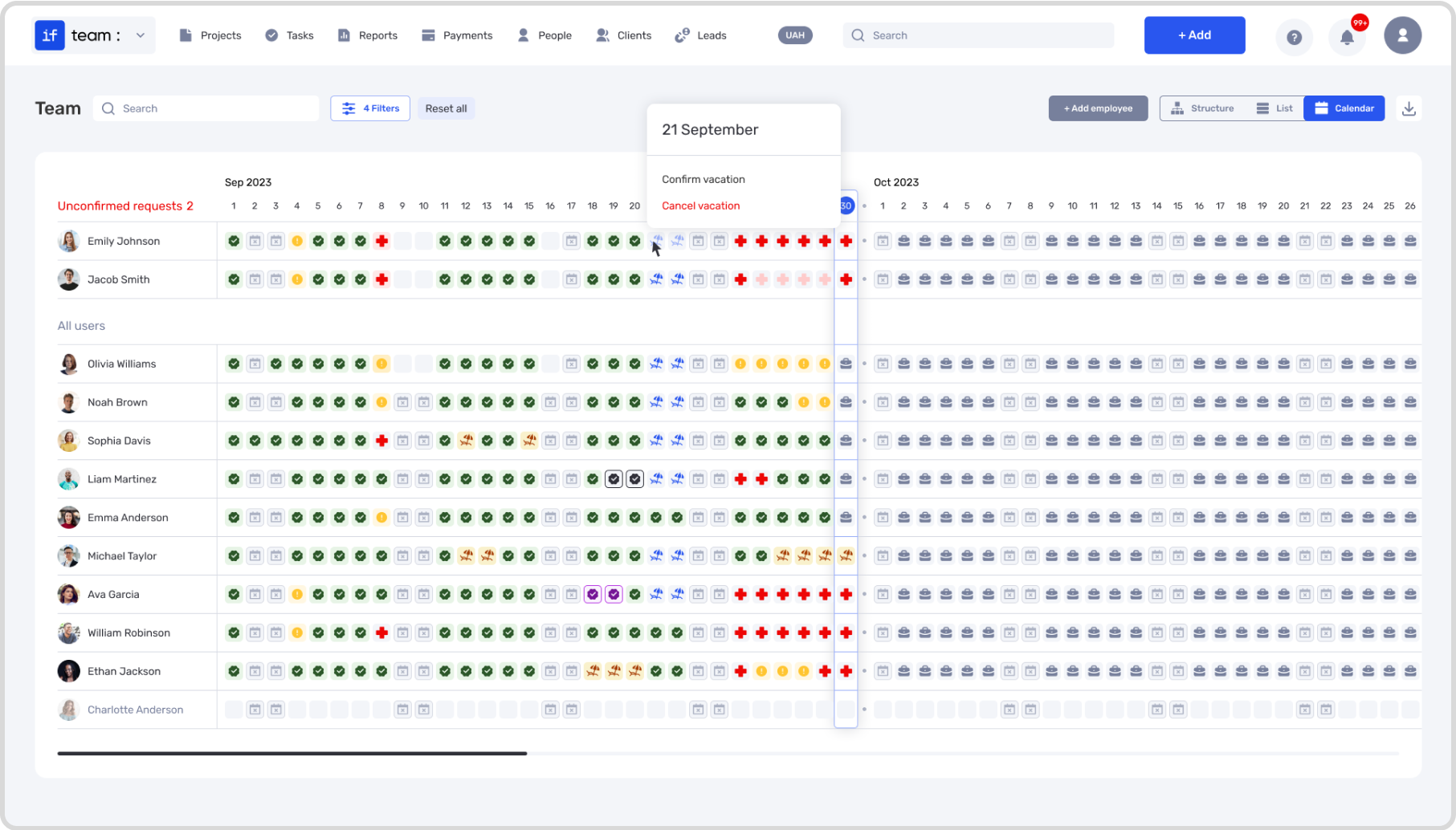
One of the most common issues during the planning stage is uneven task distribution. if.team solves this with an intelligent calendar that analyzes the workload of each team member. The system shows who is working at full capacity and who has available resources.
If a manager tries to assign a task to someone already working at 90% capacity, if.team sends a notification: «This task could cause overload. Recommended: adjust the deadline or choose another person.» This helps avoid stress within the team and additional overtime costs.
The calendar also accounts for vacations, business trips, and other non-working periods. For example, if a key developer is absent during a critical phase, the system will suggest redistributing their tasks in advance. This is especially important for projects with tight deadlines, where every day counts.
CRM Tools
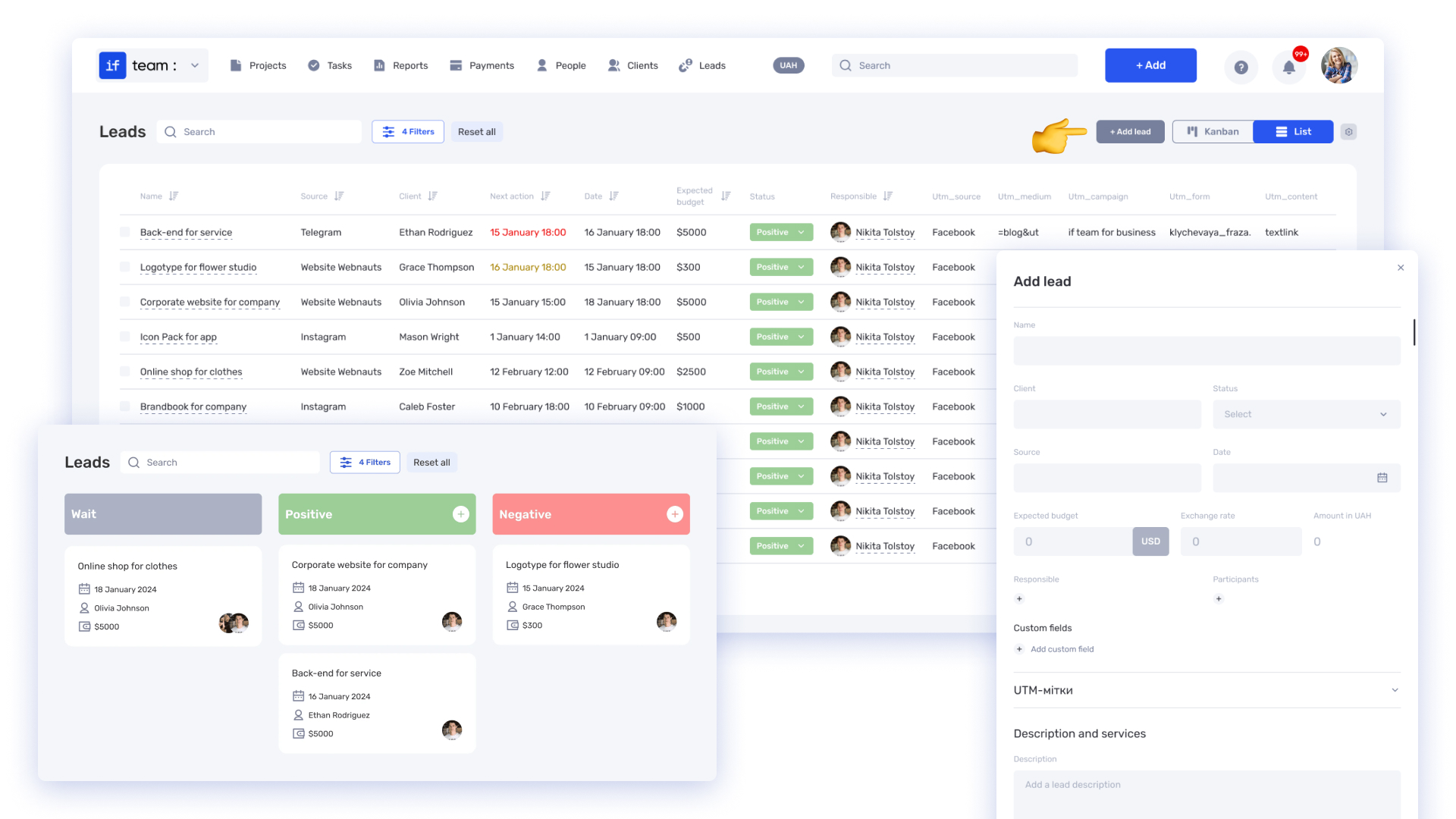
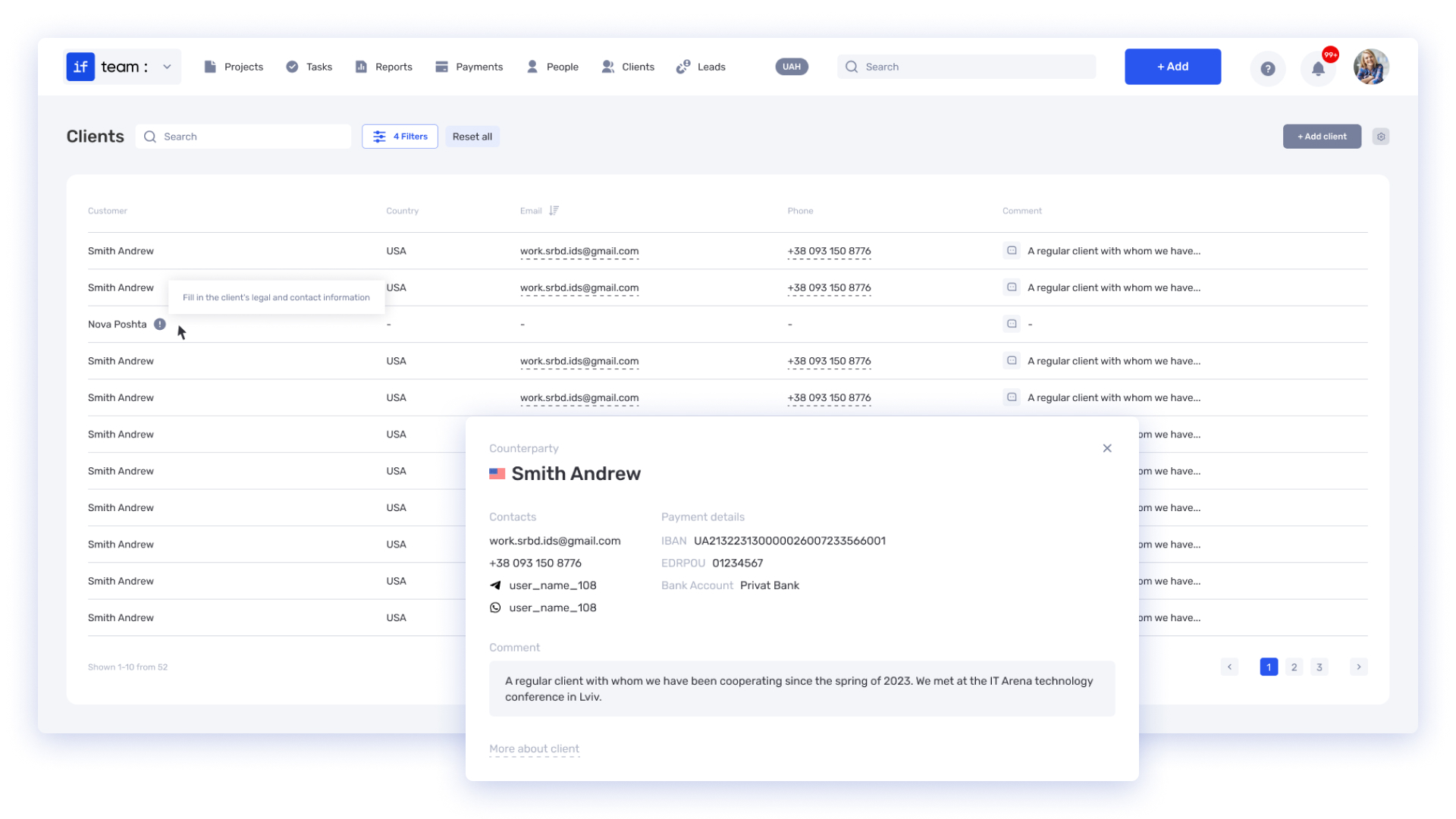
Ambiguity in technical specifications is a common cause of client conflicts. if.team integrates CRM functionality, transforming vague requests into clear tasks. Each item in the specification, like «Implement responsive design,» automatically becomes a distinct task in the system with clear parameters: budget, deadline, and responsible person.
When a client requests changes after the specification is agreed upon, if.team logs them as new tasks. For example, an additional revision like «Change button color» becomes a separate item with time and cost calculations. This allows the manager to immediately assess the impact of the changes on the budget and discuss them with the client.
Execution Stage: How if.team Manages Projects in Real-Time
The execution stage is where plans meet reality. if.team turns this phase into a manageable process, where every deviation is detected on time, and every decision is based on data. The system integrates all aspects of the project—from task execution to client communication—to stay one step ahead of potential issues.
Real-Time Financial Monitoring
The system automatically tracks all expenses related to the project, from employee salaries to external resource usage. For instance, if a task exceeds the planned budget due to extra working hours, if.team immediately notifies the manager. This allows for quick decisions—whether to discuss additional funds with the client, cut costs in other stages, or reassign tasks.
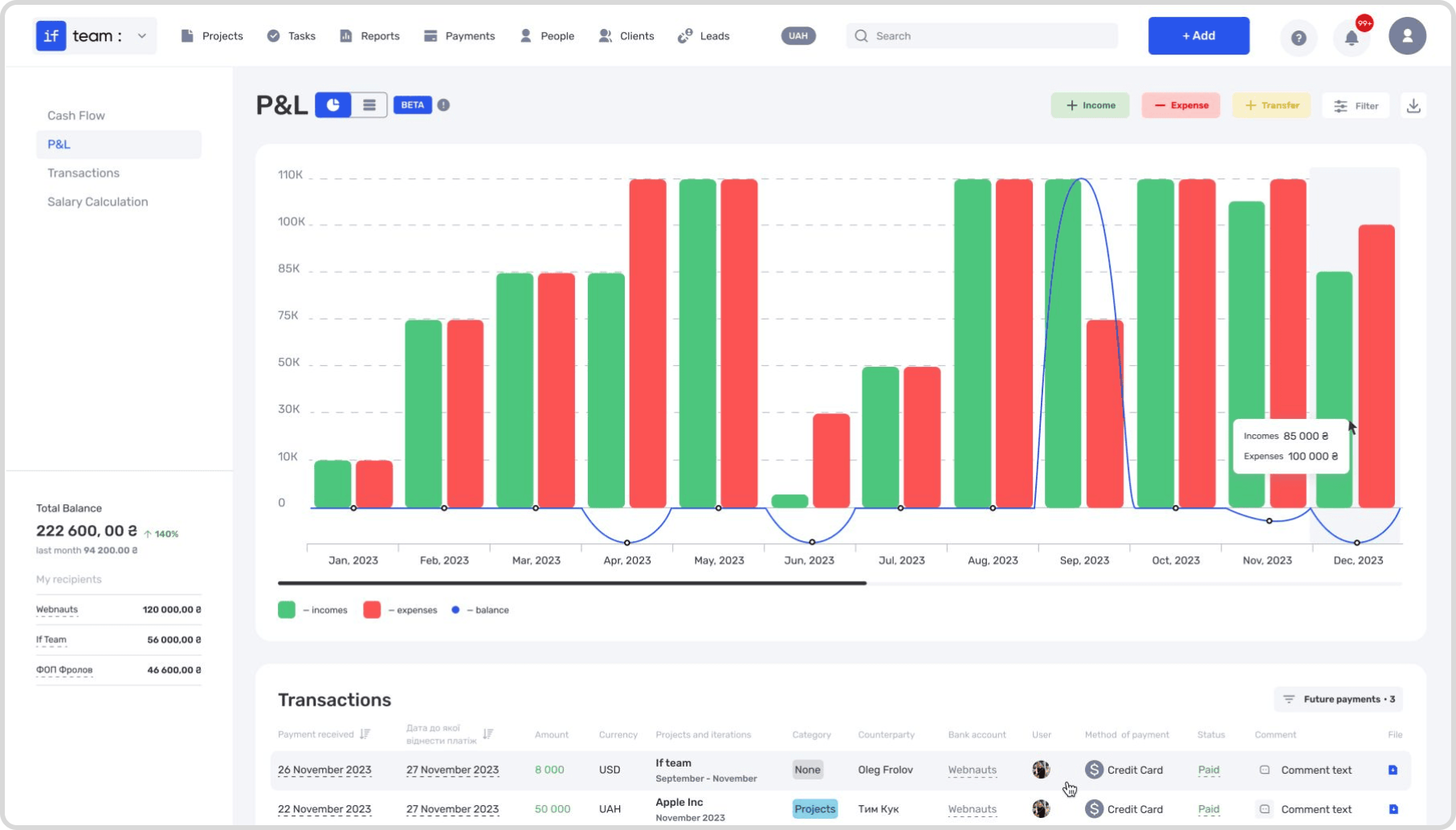
Financial reports are updated daily, showing the current budget status. You can view not only the total expenses but also the breakdown by task. For example, if 30% of the budget is consumed by minor client revisions, it’s easy to identify and adjust accordingly.
Time and Task Tracking
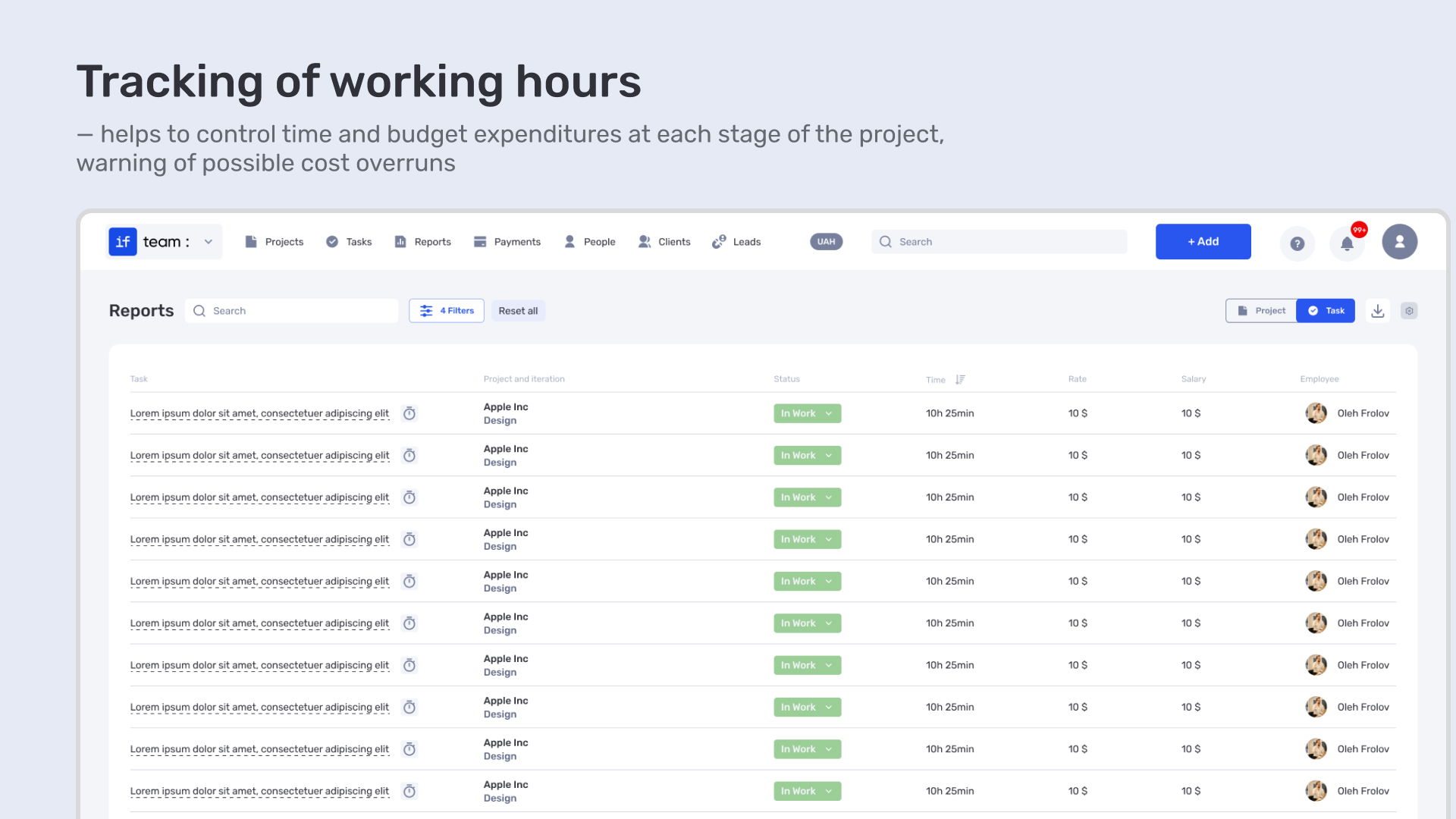
Time tracking is integrated with tasks and finances. When an employee logs their hours, the system automatically compares them to the original plan. If a task takes significantly more time than expected, the manager is immediately notified.
The team’s workload calendar shows who is overloaded and who has available capacity. For example, if a designer is already working at 90% capacity, assigning additional tasks without risk is not possible—the system will block such actions and suggest an alternative team member.
Visualizing Dependencies Between Stages
A delay in one task can affect all subsequent stages. if.team visualizes the dependencies between tasks, showing how changes in one stage shift the deadlines of others. For example, if the design phase is delayed, the system automatically updates the development and testing schedules.
This allows the manager to experiment with different scenarios: moving tasks to available team members, reducing the scope of work, or adjusting priorities. All changes are reflected immediately, enabling quick decisions and optimal solutions.
Avoid Unnecessary Expenses — Manage Projects with if.team
Companies lose thousands each month due to hidden costs. Try if.team for free for 7 days and discover how to avoid them.
Closing Stage: How if.team Helps Analyze Results and Improve Processes
The project closure is the time to analyze mistakes, document outcomes, and prepare for new tasks. if.team helps structure this phase by providing tools for data collection and their subsequent use to improve future processes.
Financial Analysis
The system allows for the generation of detailed financial reports based on data entered by employees and managers. These reports reveal how the budget was distributed across tasks, where overspending occurred, and where savings were achieved. For example, if the primary expenses were due to overtime caused by unforeseen client revisions, this will be reflected in the report.
This data helps managers make informed decisions about future budgets. They can identify which stages require more realistic planning and where costs can be reduced. For instance, if testing consistently demands extra time, this will be factored into future projects.
Recording Client Changes in CRM for Future Work
All client changes made during the project are recorded in the CRM. This creates a database for future contracts. For instance, if a client frequently requested additional revisions, a limit on the number of revisions can be included in the new contract.
The collected data helps make decisions about improving work processes: whether the team needs additional training, if the planning approach should be reviewed, or if new tools should be integrated. For example, if designers consistently miss deadlines, workload distribution can be adjusted or routine tasks can be automated.Зібрані дані допомагають ухвалювати рішення щодо вдосконалення робочих процесів: чи потребує команда додаткового навчання, чи потрібно переглянути підхід до планування, чи варто інтегрувати нові інструменти. Наприклад, якщо дизайнери регулярно не встигають у термін, можна перерозподілити навантаження або автоматизувати частину рутинних задач.
How if.team Helps Your Team Achieve Success
if.team is a reliable partner for your team, providing powerful tools for project management and risk minimization. With this system, your team gains:
Transparent Budget Management: if.team helps plan financial flows accurately, record all changes, and prevent budget overruns through detailed reports and forecasts. This enables managers to adjust budgets in time and avoid unpleasant surprises.
Optimal Resource Allocation: The intelligent calendar and notification system allow even distribution of workloads among team members, preventing overloads and minimizing delays. This ensures that each team member works as efficiently as possible.
Quick Response to Changes: If unexpected situations arise during the process—such as client revisions or deadline changes—if.team records them and provides up-to-date data for prompt decision-making. This keeps your team one step ahead of potential issues.
Improved Communication with Clients: All changes and adjustments are recorded in CRM, ensuring transparency and accuracy in communications. This helps avoid misunderstandings and strengthens trust between you and your clients.
Process Analysis and Improvement: After project completion, if.team provides tools for analyzing results, identifying weaknesses, and creating templates for future tasks. This approach ensures continuous improvement of workflows.
With if.team, your team not only manages current projects but also builds a strong foundation for sustainable growth. This solution transforms project management from a routine task into an efficient and transparent process, allowing you to focus on what truly matters and reach new heights together with if.team.
Optimize remote work management and achieve better results with the tools provided by if.team. Start today and experience seamless project control, enhanced communication, and improved resource management.
What is a KPI in simple terms? It’s one number or several numbers that show whether you’re actually moving toward a specific goal. Not how many actions you took, but whether a result appeared.
A KPI...
A bottleneck in business is the point where a process actually slows down. Not formally, but in reality. This is where tasks pile up, waiting time increases, and the entire system starts working more...
The RACI matrix helps teams quickly agree on who does what in a project: who performs the work, who is accountable for the final result, who provides expertise, and who needs to receive updates. When...