What Is Professional Services Automation: Definition and Core Features of PSA Software
Vladyslav Chesnokov
Copywriter, if.team
Oleh Frolov
CEO, if.team
What is professional services automation? It’s a question more and more client-oriented teams are asking themselves. When deadlines are tight, tasks are scattered across messengers, and financial forecasts live in a lonely Excel file on someone’s desktop — that’s not just inconvenient, it’s expensive. Too much manual work, fragmented workflows, wasted time, and stress. This is where PSA comes in — a structured approach that helps service-based businesses operate like a system: transparent, coordinated, and without constant firefighting.
These businesses typically juggle dozens of projects at once — communicating with clients, tracking time, invoicing, allocating resources — and all of it needs to be aligned. Without a centralized solution, processes can quickly spiral into chaos. The core goal of professional services automation software is to make life easier for teams, freeing them from repetitive tasks and letting them focus on the actual work instead of managing the work. By automating routine operations, companies can:
save dozens of hours every month;
improve planning and resource management;
make faster, data-driven decisions;
stay in control even during periods of growth;
build a scalable, predictable business.
The if.team platform is a clear example of what modern PSA software looks like when it’s tailored to real team needs. Everything is integrated into a single workspace: planning, time tracking, finances, CRM, and reporting — with no extra clicks or complex configurations.
This professional services automation software helps not only manage projects but also grow: scale the team, monitor profitability, build processes from scratch or adapt them to new challenges. Plus, full support in both Ukrainian and English makes it ideal for teams working across different markets.
What happens without PSA software
Not every company thinks about automation right away. At first, Google Sheets, internal chats, and gut-feel reports seem good enough. But as projects grow, teams end up spending more time putting out fires than growing the business. The professional services automation definition makes it clear: without a modern solution, things often look like this:
Everyone knows something — but no one sees the full picture
Information lives in too many places: tools, files, chats, and people’s heads. This leads to outdated data, task confusion, duplicated work, and a lack of overall clarity.
Manual reporting leads to mistakes and wasted time
Creating a simple report for a client or team often requires pulling in half the department. It wastes hours and increases the chance of errors, since everything relies on manual input.
Finances are blurry — so is profit
Manual invoicing, scattered subscriptions, delayed payments — all of this adds up to one thing: managers have no clear idea how much profit each project actually brings in. Or worse — how much it costs the company.
The team is overloaded
Without automated planning, resource allocation is chaotic. Some team members are idle while others are overwhelmed. This directly affects deadlines, quality of work, and burnout levels.
Professional services automation without the complexity
Try if.team professional services automation software for transparent project and resource management.
How professional services automation software works
At the core of professional services automation software is an “all-in-one” approach. Instead of scattered spreadsheets, files, and chats, teams get a single platform to manage every aspect of project operations — from planning to task completion — in one unified workspace.
Typical PSA software includes:
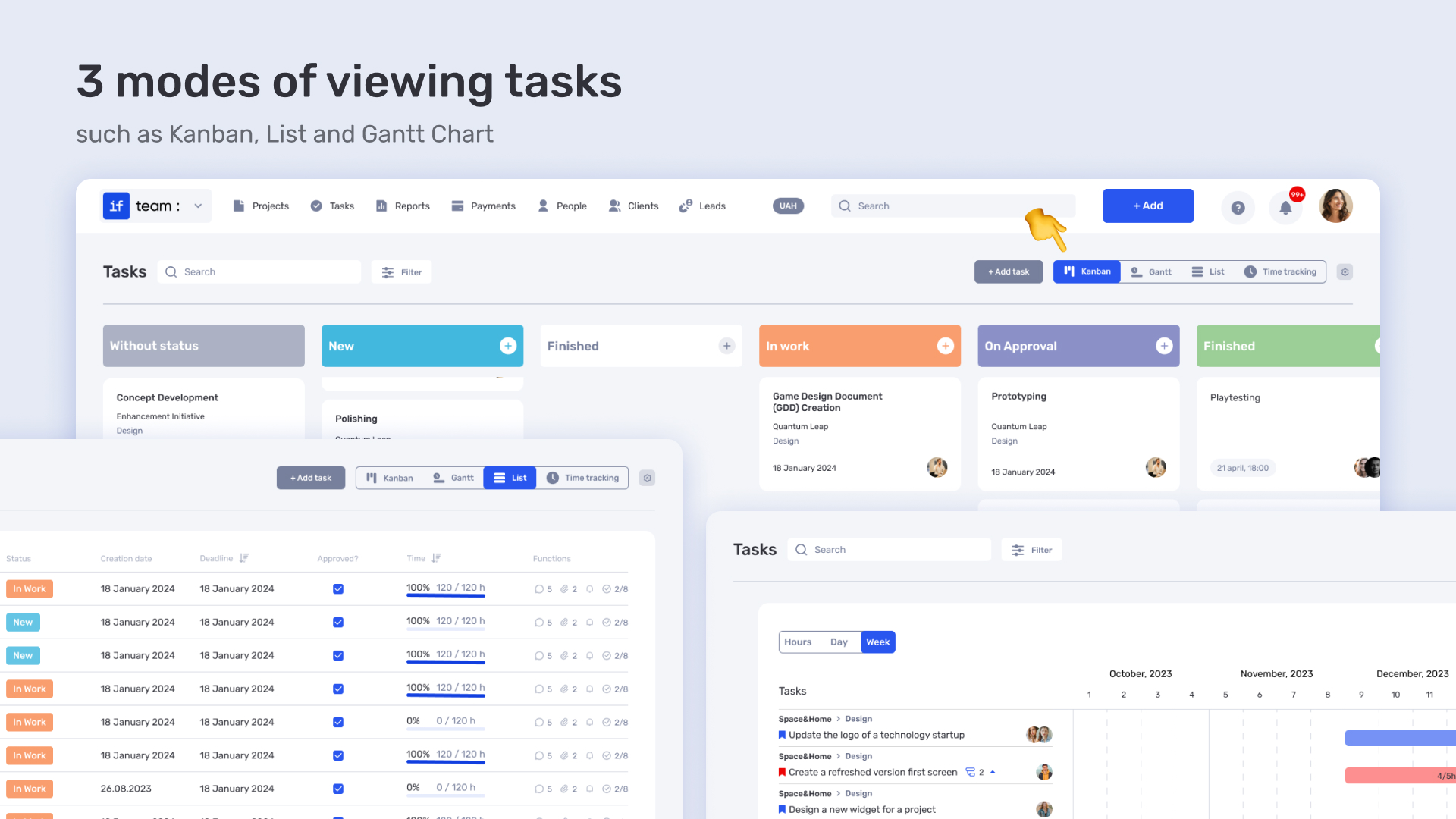
Task planner. Create, assign, and track tasks within projects. Everyone knows who’s responsible for what, what the deadlines are, and what stage each task is in — all visible on a shared board or calendar.
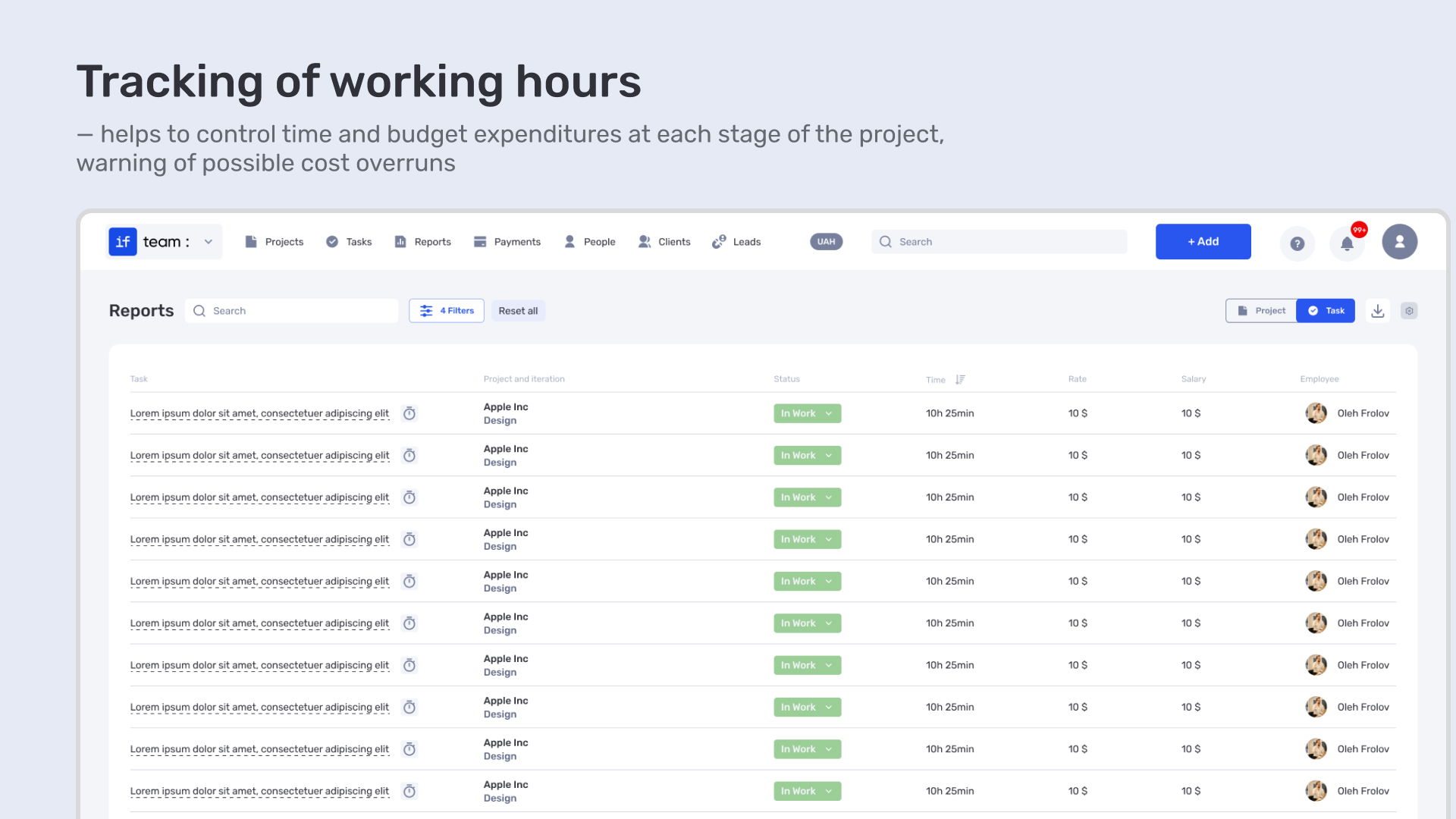
Time tracker. Track time manually or automatically. It helps reveal how many hours go into each task, which clients are profitable, and where resources are being overused.
CRM. A full client database with interaction history. With professional services automation software, teams can monitor deals, keep records of communication, check project status, and forecast revenue.
Budgeting tools. Plan financials for every project — costs, revenue, profitability. That means decisions based on data, not assumptions.
Automated invoicing. Invoices are generated based on actual work completed. This reduces human error, eliminates delays, and keeps finances clean and transparent.
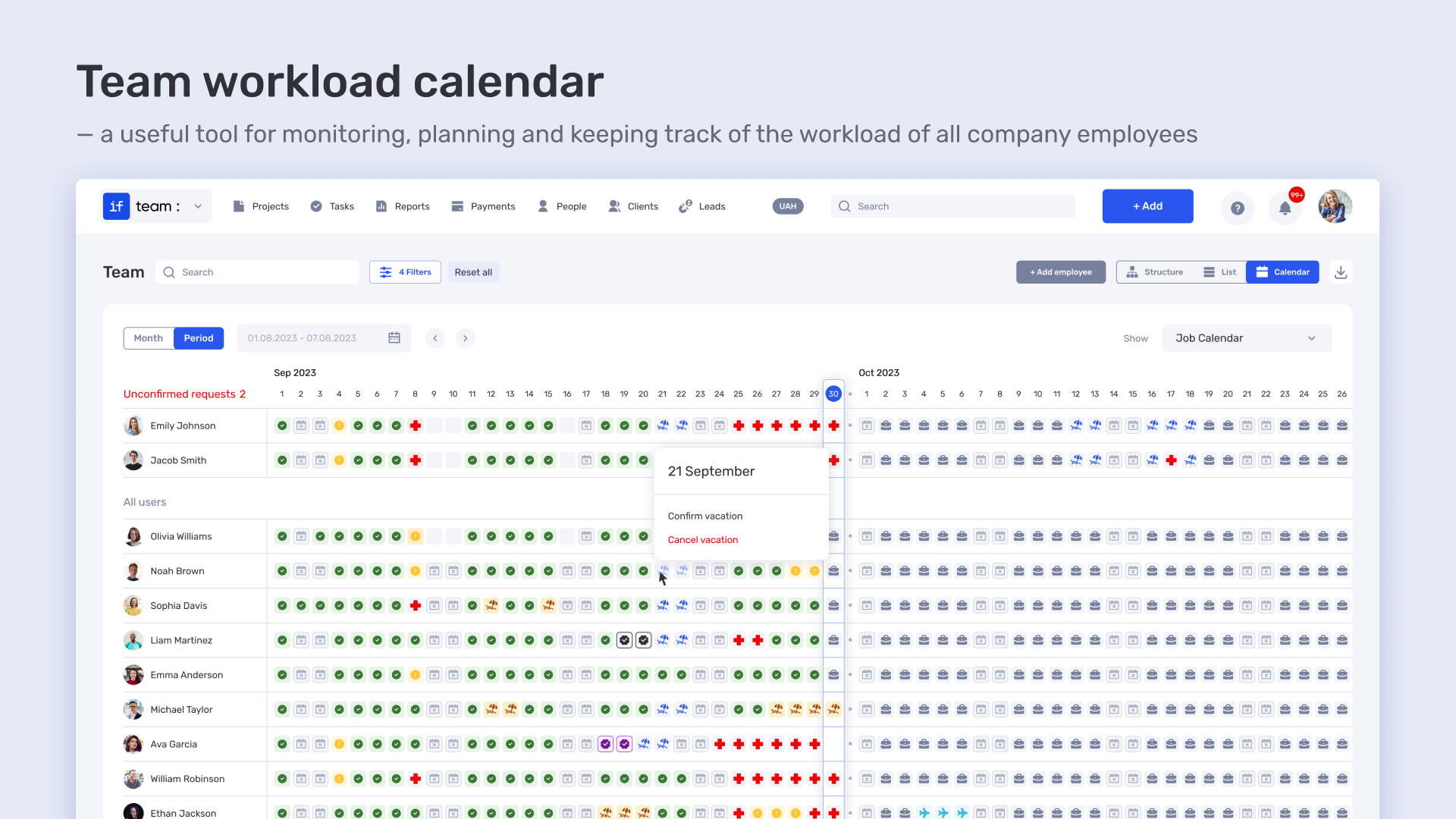
Team management system. From workload visibility to vacation approvals, managers can see how the team is performing and respond quickly to overload or downtime.
Reporting and forecasting. Visualize key metrics: time spent, revenue, productivity, KPIs. The system highlights growth areas and spots where intervention is needed.
There’s no magic behind professional services automation — just structure. But that structure solves dozens of everyday problems that otherwise get lost across chats, spreadsheets, and people’s memory. The all-in-one format isn’t just about convenience — it’s about stability, transparency, and scaling without stress. That’s why professional services automation is the choice of businesses looking to grow with systems, not chaos.
Who needs PSA software — and why
What is professional services automation really about? It’s not just automation — it’s smart business management in 2025. If your team has more than two people, works with clients, handles deadlines, and sends invoices — you’ll hit chaos fast without PSA. Here’s who benefits most and why:
Agencies. To keep everything under control: clients, tasks, budgets, deadlines. PSA software shows team workload, helps avoid last-minute emergencies, and protects profit margins.
Freelancers and consultants. To stay structured without an office. All documents, invoices, and tasks in one place. You can send invoices, track time, and invite clients to projects without drowning in message threads.
IT teams and project managers. Professional services automation software acts as a hub: you see who’s working on what, the current project stage, remaining budget, and time spent. Less micromanagement — more realistic planning.
Finance teams. For accurate data without Excel. Automated reporting, forecasting, and profitability tracking — all integrated. Less manual work, more time for strategy.
To sum up: if your business involves people, tasks, and money — you need professional services automation software. It’s not a trendy tool — it’s how you stay in control and remain profitable in a fast-moving market. Some teams still try to build workflows out of chats, spreadsheets, and plugins. But the winners are the ones who start with structure from day one.
Key features of PSA software: what is professional services automation
What is professional services automation? It’s more than just a trendy acronym — it’s a set of integrated tools that cover every essential need of a service-based business. Instead of juggling a dozen different systems, you get one connected environment. That means faster operations, fewer errors, and no more manual spreadsheets every week.
Here are the core functions of a complete professional services automation software solution — and why your team needs them.
Project management
At the heart of any PSA software is a robust task management system. Task creation, role assignment, deadlines, statuses, dependencies, Kanban boards or calendars — everything is clear and structured. This helps teams stay on top of projects, track progress, avoid chaos, and never miss a detail.
For example, a content team planning a website launch can see all project stages in one shared board, with tasks synced to a calendar and time tracker.
Resource planning
A good professional services automation software shows exactly who on the team is busy and who has free time. You can quickly spot open slots, avoid overloading or underusing people, and predict when to hire new specialists. This helps manage your team effectively, prevent burnout, and plan projects realistically.
For example, an HR manager sees that a designer has 20% free capacity next week — and assigns them to a new brief.
Time tracking and work hours accounting
Automatic or manual time tracking is the foundation for accurate budgeting and pricing. Every minute is recorded: who worked on what and when. This functionality ensures fair billing, smooth invoice creation, and detailed analytics.
For example, an analyst tracks 8 hours spent on a report — the system automatically adds this time to the project budget.
Financial management and billing
Financial tools in PSA software are more than just spreadsheets — they are live, interconnected data. Professional services automation software provides automatic invoice generation, profit and margin calculations, and integration with payment systems. Modern tools help avoid losing revenue due to errors and allow timely budget adjustments.
For example, the system notices that 60 hours of work were completed for a project — it automatically generates and sends an invoice to the client.
CRM and client management
Every client’s history is stored in one place. Requests, correspondence, contracts, project statuses, payments, orders, briefs — all easily accessible. This helps maintain context, respond quickly to clients, and improve service quality.
For example, a manager opens a client card — sees previous services, invoices, and the status of the current deal.
Analytics and reporting
Automatic reports and dashboards allow control, analysis, and forecasting. Visualizing finances, KPIs, team productivity, project profitability, and deviations from the plan enables data-driven decisions instead of relying on gut feeling.
For example, a manager sees a report showing that the SMM direction generates half the profit of SEO — and reallocates resources accordingly.
How it works in if.team
if.team is not just a set of tools — it’s a ready-made system for managing all processes in a service business. Everything is in one interface, easily customizable for specific roles: whether you’re a freelancer or a team of 20+. The focus is not on the number of features, but on convenience and speed — less manual work, more quality interaction with clients and your team.
Planning and tasks
After comparing different professional services automation software, it’s clear that if.team offers an intuitive task management system. Tasks are easy to create or delete, you can change statuses, create subtasks, and add custom fields. Roles, priorities, deadlines — all fully adjustable.
Time tracking
This is not just another spreadsheet with manual entries. In if.team, time tracking works like a built-in stopwatch: press “start” — and that’s it. The system automatically tracks how much time you spent on a task, pulls rates, and adds everything to the invoice. No manual calculations for you or your clients. It’s transparent, precise, and perfect for freelancing, teamwork, or hourly projects.
Financial management
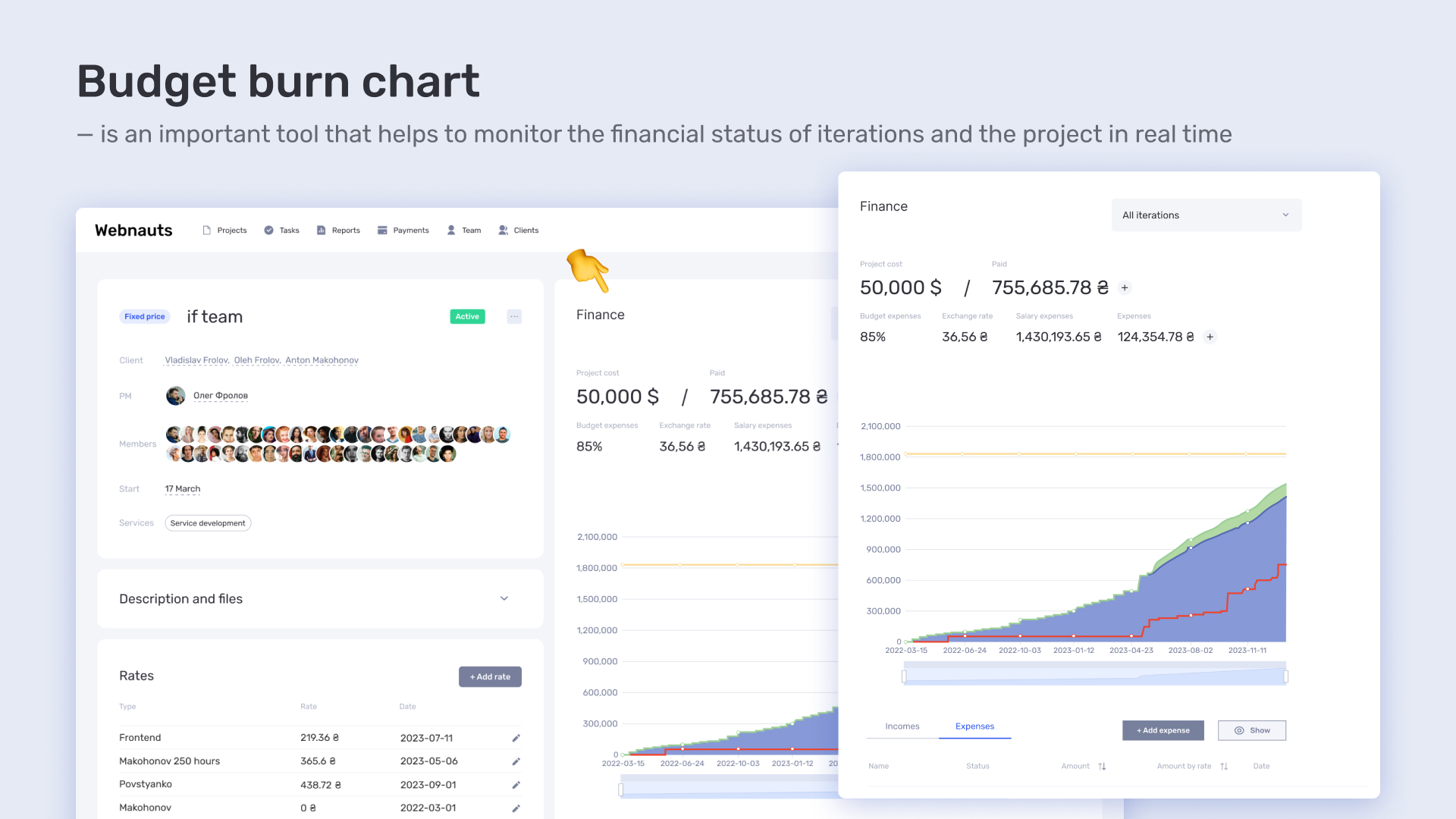
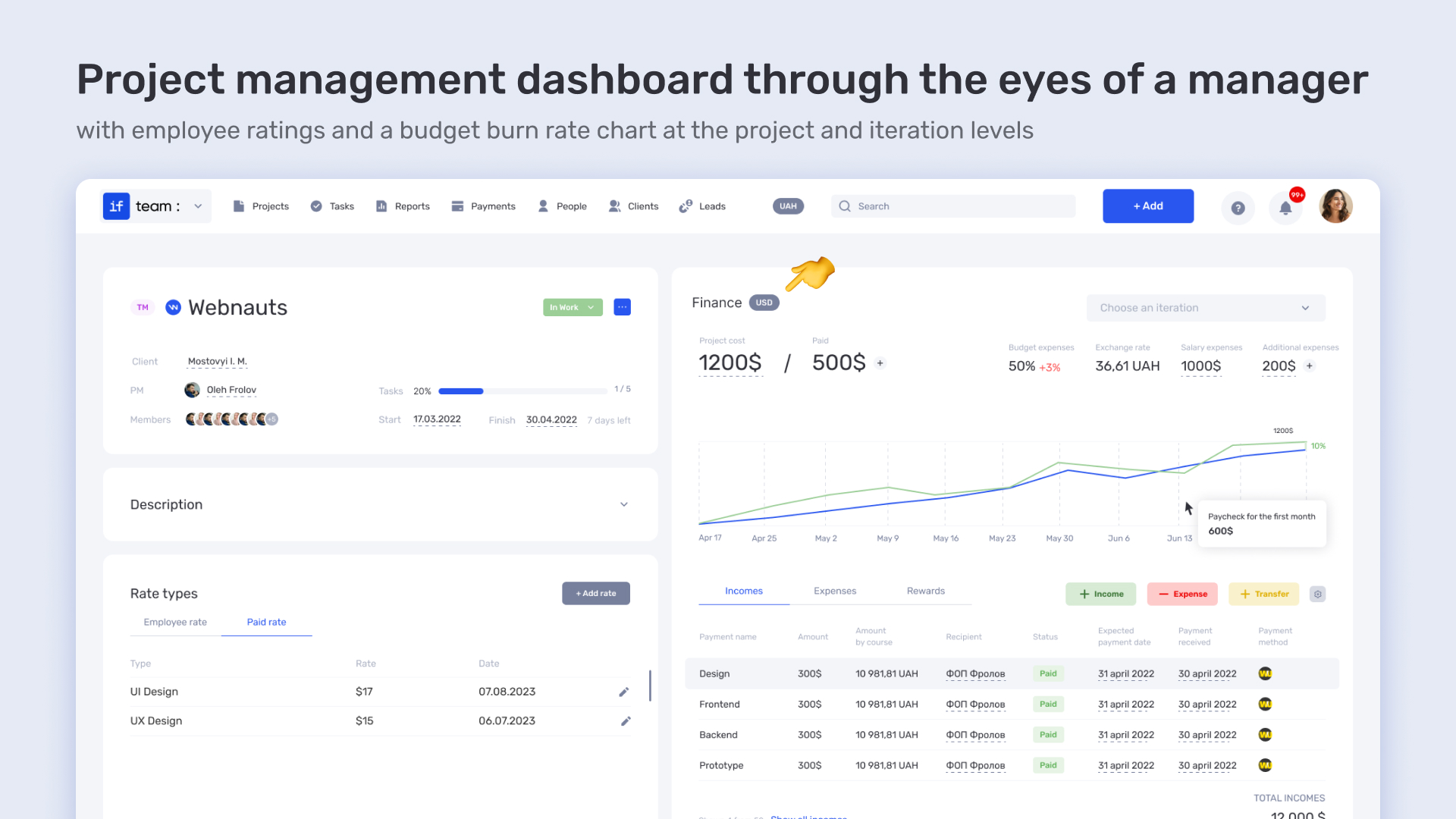
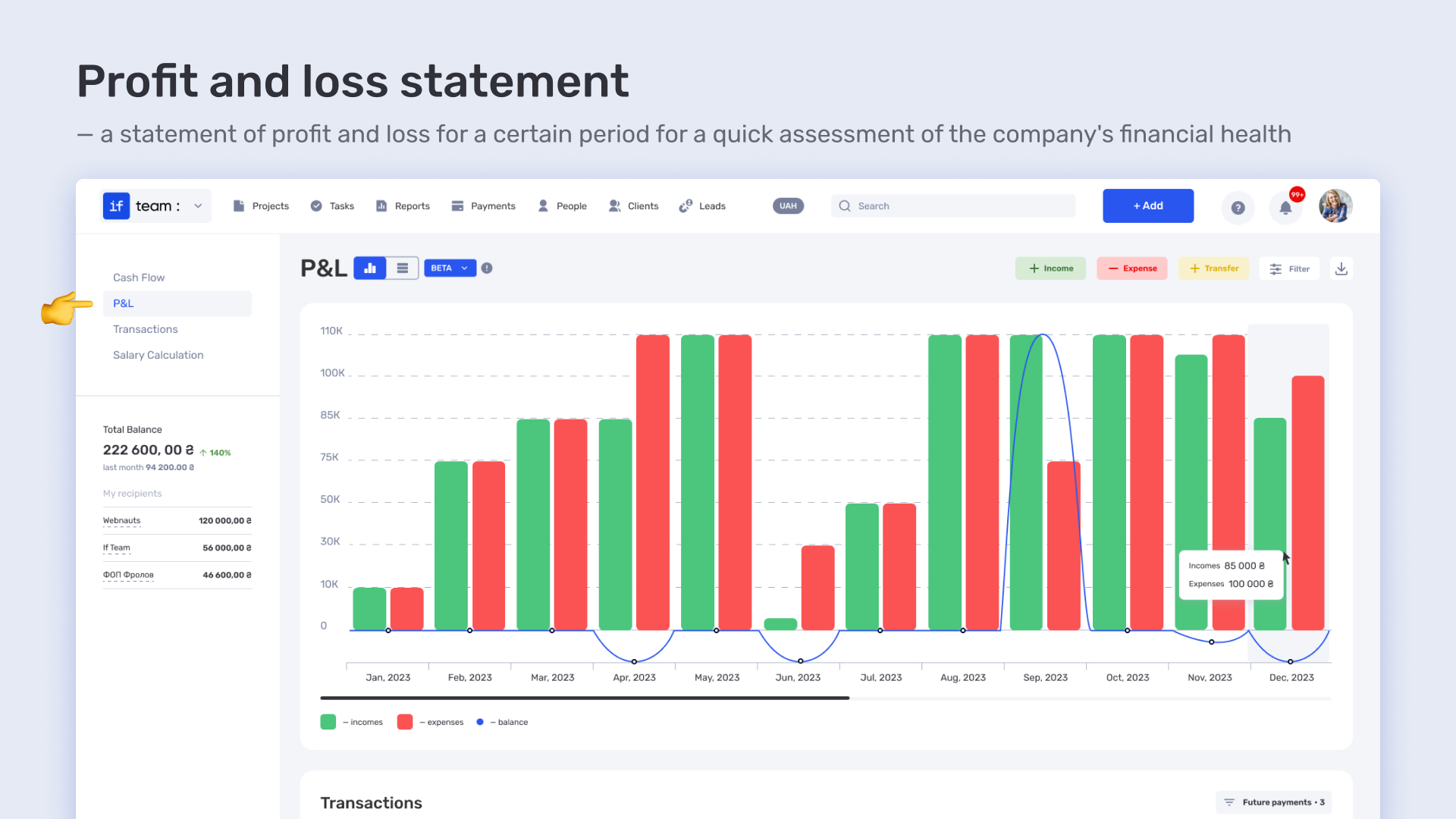
Budgets, PnL, invoices, payment schedules — all on one screen. No surprises like “why are we in the red?” The killer feature is the budget burn rate chart. It shows real-time spending and lets you stop overspending before it’s too late.
CRM tools
This is not just a contact list with random notes. It’s a full history of your relationships with clients and partners: saved correspondence, call notes, contracts, tasks, reminders. All in one place, no ping-pong between emails, messengers, and notes. Minimum confusion — maximum focus on work.
Reports
These are not just “reports for the sake of reports.” They show the real picture of how the project is going, where time is spent, and which tasks consume the budget. Detailed by people, tasks, clients — however you want. Filters, export, analytics — all at your fingertips. Reports don’t just show data — they help make decisions, justify your position to clients, and plan next steps.
At if.team, everything truly works as one system: no need to manually transfer, duplicate, or search data across ten different tools. This is next-gen PSA software — intuitive, adaptive, with deep financial features and killer tools like the budget burn rate chart. All with support in Ukrainian and English.
if.team — к— when PSA works for you, not the other way around
Now you know what is professional services automation. PSA is not just a set of tools — it’s a way to rethink how your team works. When processes are transparent, time doesn’t get lost in reports, invoices, and endless spreadsheets. When all information is at your fingertips — decisions are made quickly, not intuitively. And when you know exactly how much each project, each hour, each mistake costs — your business starts to grow consciously.
The if.team platform is built exactly for this. It gives service teams not just control, but confidence: in numbers, workload, and future outlook. This is the case when professional services automation software doesn’t take away flexibility, but instead gives you more. When daily routine turns into a clear, streamlined process with predictable financial results.
What is a KPI in simple terms? It’s one number or several numbers that show whether you’re actually moving toward a specific goal. Not how many actions you took, but whether a result appeared.
A KPI...
A bottleneck in business is the point where a process actually slows down. Not formally, but in reality. This is where tasks pile up, waiting time increases, and the entire system starts working more...
The RACI matrix helps teams quickly agree on who does what in a project: who performs the work, who is accountable for the final result, who provides expertise, and who needs to receive updates. When...