Planner in if.team: a new personal task planning mode
Vladyslav Chesnokov
Copywriter, if.team
Oleh Frolov
CEO, if.team
Planner is now available in if.team — a new task management mode designed to help employees organize their personal workload independently from project structures, boards, and lists.
In most teams, tasks are distributed across projects, departments, and workflows. However, assignees often need a dedicated space for planning their own work, setting priorities, and distributing tasks across specific days. Planner was created to solve exactly this challenge.
What is Planner?
Planner is a personal planning mode that allows users to organize their work independently from the overall project structure. It operates on top of the existing task management system and does not require any changes to team processes.
Users can plan their workload for today, upcoming days, or longer periods without modifying task statuses, deadlines, or other task parameters.
Planner Features
The new mode provides a set of tools for convenient personal workload management.
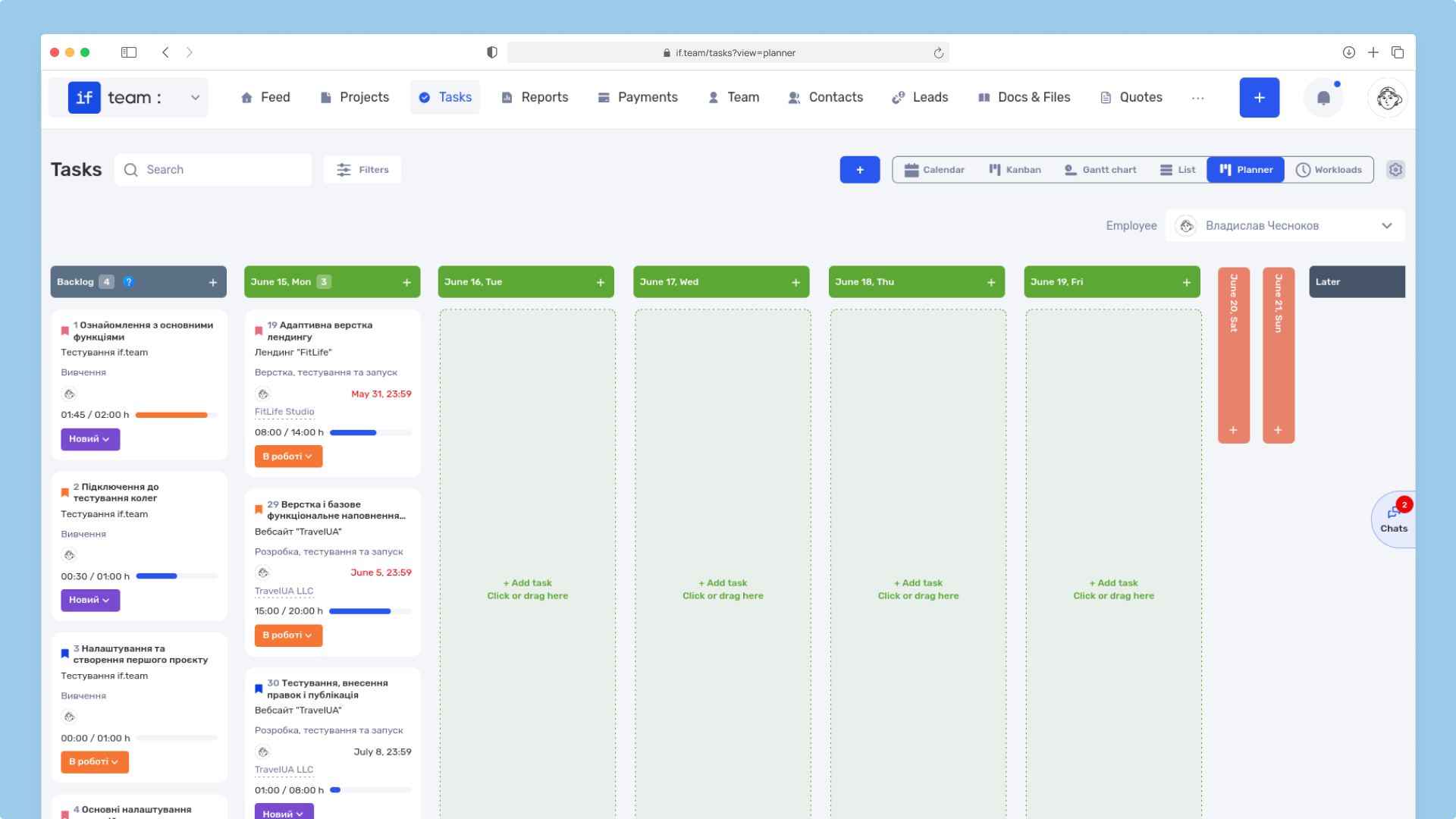
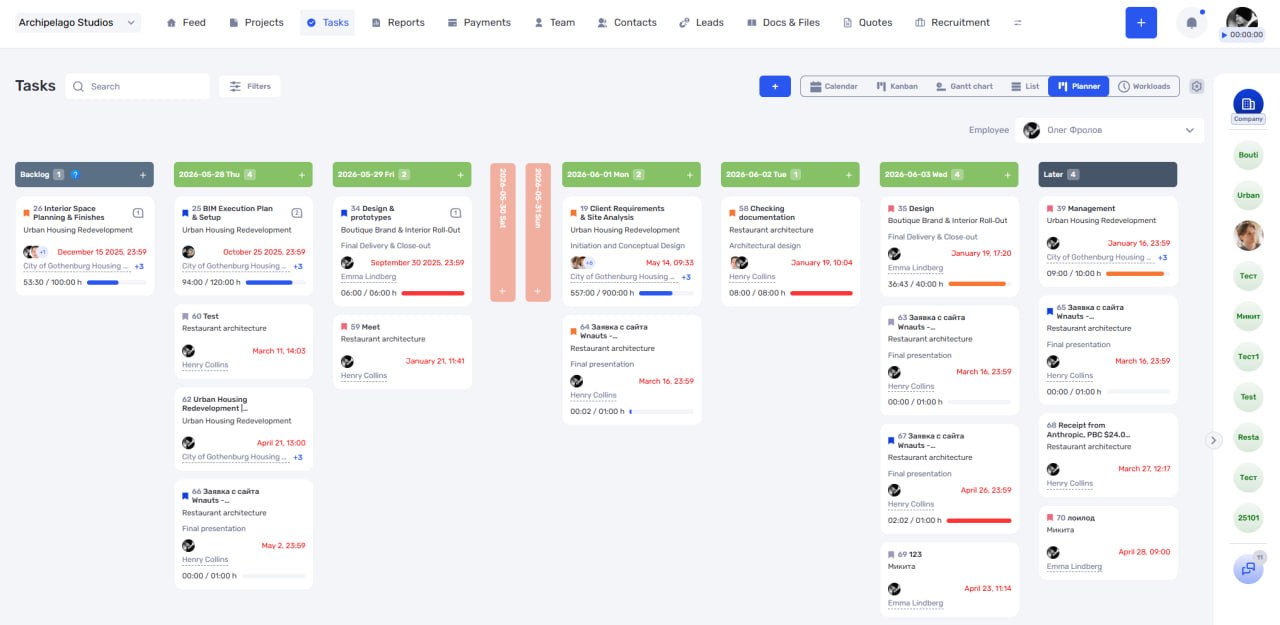
Backlog for tasks without a date
All tasks without a deadline or planned execution date can be stored in the Backlog. This allows users to quickly collect new tasks in one place and distribute them later based on priorities and available time.
"Later" section
For tasks that are planned for the future, Planner includes a dedicated “Later” section. Users can also manually move tasks there when they do not require immediate attention.
This approach helps keep daily task lists focused and prevents them from becoming overloaded with less relevant work.
Planning tasks by day
Tasks can be assigned to specific dates, allowing users to build their own work schedule. This makes it easier to assess workload, avoid overloading particular days, and maintain a realistic execution plan.
Prioritizing work
Within a single day, tasks can be reordered to define the sequence in which they should be completed. This allows users to set priorities and create a workflow that fits their needs.
Planner does not affect task parameters
One of the key advantages of the new mode is its independence from the overall project structure.
Moving tasks inside Planner does not change:
deadlines;
statuses;
workflow stages;
any other task parameters.
At the same time, the system records planning activity. The activity history stores information about the day on which the assignee planned to work on a task. This provides additional transparency and makes it easier to track planning changes over time.
Additional capabilities for managers
By default, Planner works as a personal planning tool. However, users with the appropriate permissions can view the Planners of other employees or subordinates.
This gives managers an additional way to analyze team workload, plan resources, and distribute work more effectively across the organization.
Who is Planner for?
The new mode will be especially useful for:
specialists working across multiple projects;
teams handling a large number of incoming tasks;
managers and team leaders;
companies that want to combine project management with flexible personal planning for employees.
Planner is now available in if.team and helps users organize their personal work without changing existing project management processes or task structures.
We have updated the project screen in if.team and introduced custom dashboards. Teams can now configure their workspace according to their workflows, tasks, and priorities.
Projects differ from one...
Planner is now available in if.team — a new task management mode designed to help employees organize their personal workload independently from project structures, boards, and lists.
In most teams...
In if.team, a recruitment module has been introduced, along with an updated roles and access system. The idea here is simple — recruitment can now be managed directly inside the platform, and access...