How the legal company “Zakhyst Vlasnosti” uses if.team for project management and time tracking
Vladyslav Chesnokov
Copywriter, if.team
Oleh Frolov
CEO, if.team
Working with a large number of parallel cases requires legal teams to plan precisely, control workload, and maintain transparent coordination between employees. A separate challenge is the need to keep task execution, team resources, and the financial picture of projects within one shared context.
The legal company “Zakhyst Vlasnosti” implemented if.team to organize project work and daily processes. The system is used as a single space for managing tasks, planning lawyers’ work and coordinating execution within the team, as well as for analyzing workload and project financial indicators.
In this case, we will look at which tasks were important for the company, how they came to using if.team, and how they built their work in the system.
About the client
“Zakhyst Vlasnosti” is a large legal company with a branched structure and a flow of cases across different legal areas. The team simultaneously handles many client cases, which are distributed among different lawyers.
The workflow is built around constant coordination between employees — tasks are regularly transferred, clarified, and redistributed depending on workload and the stage of the case. Because of this, work takes place in a dense operational rhythm, where it is important to quickly understand the current state of tasks for each lawyer.
For managers, it is critical to see the overall picture across the team — how work is distributed and where overload appears.
In such conditions, the company needed a single space where it could manage tasks, see the team’s workload, and understand how work was progressing on each project at the same time. It also needed a tool that would keep the financial side of work under control and make it possible to generate clear reporting without manually consolidating data.
if.team covered these needs and became the main system for organizing the team’s work. More on this below.
How work on cases is organized in the legal company
At “Zakhyst Vlasnosti,” work is built around a large number of parallel legal cases, where it is important to synchronize tasks, execution stages, and team workload within a single framework. This makes it possible to keep processes under control without losing context on each case.
Projects as the foundation of work
In if.team, each case can be managed as a separate project that brings together tasks, stages, and financial indicators. For “Zakhyst Vlasnosti,” this makes it possible to structure work on each client case and keep all related data in one space, regardless of the number of lawyers involved.
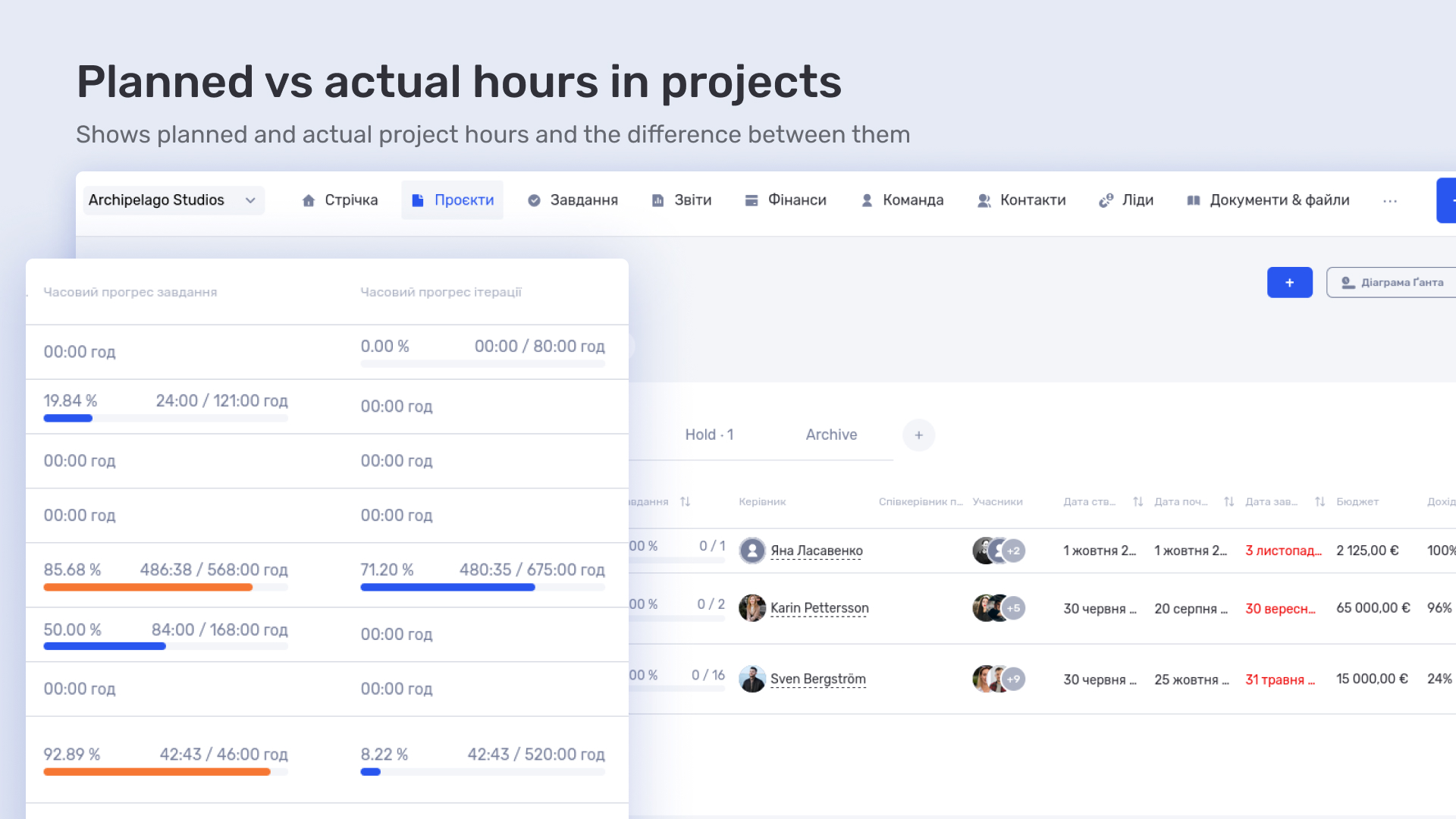
Iterations are used within projects, allowing complex cases to be broken down into stages and progress to be tracked over time. The working time logged by lawyers is linked to projects and forms the basis for analyzing workload and the cost of work.
Working with tasks
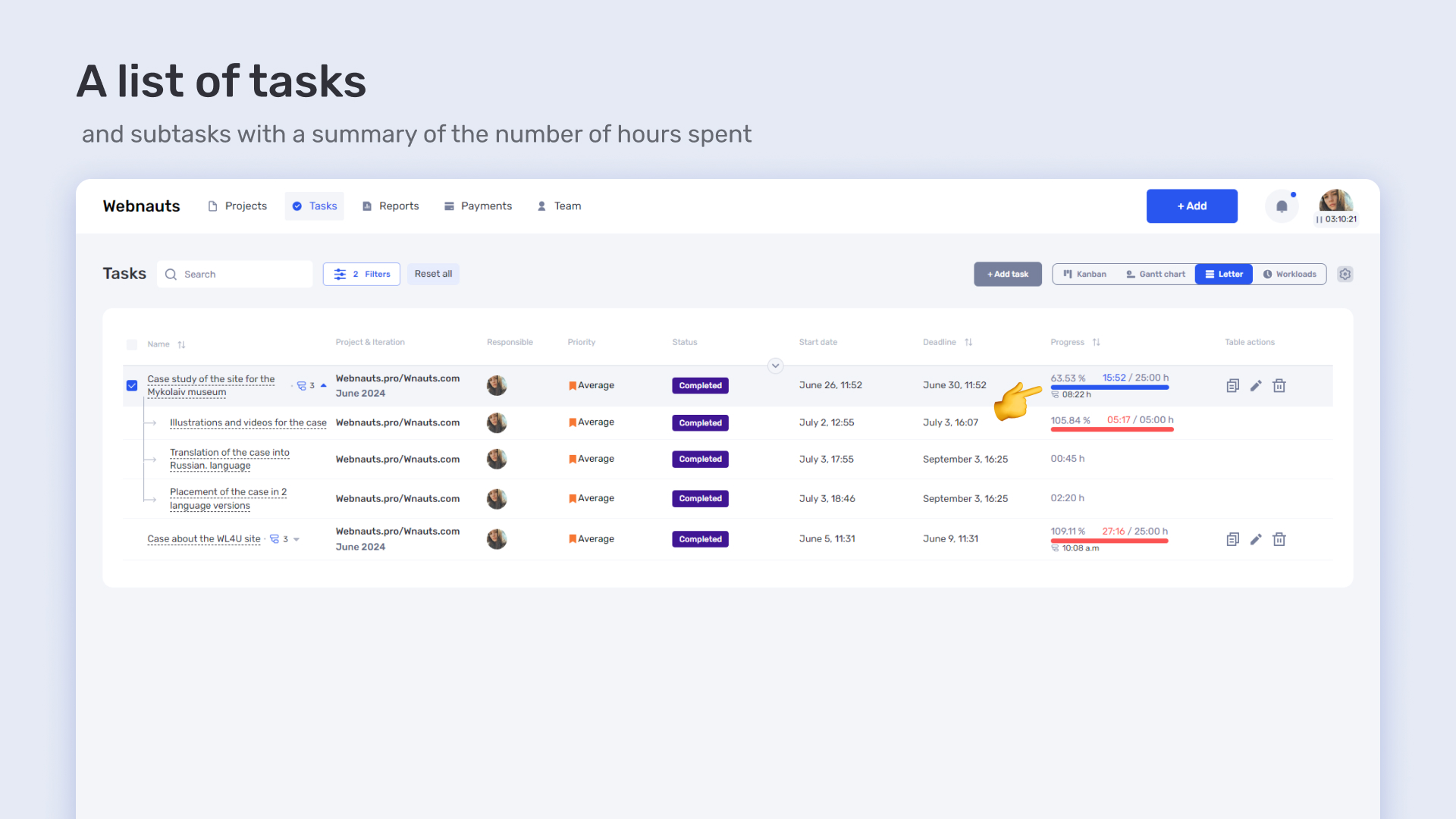
For the lawyers at “Zakhyst Vlasnosti,” tasks are the main way to organize daily work within cases. They make it possible to break down large cases into specific actions and distribute them among assignees depending on the stage of work and the team’s workload.
During execution, tasks can move between lawyers, change deadlines, or change priorities if the situation in the case requires it. This is important for a company where a large part of the work is handled in parallel and requires quick adaptation to changes.
Different views are used for task management: list view for daily operational work with a large volume of cases, Kanban for controlling the movement of tasks between stages, and the Gantt chart for planning complex projects over time and managing dependencies.
Separately configured access roles allow the company to separate levels of information visibility between management and executors: managers see the full picture across projects and workload, while lawyers work within their own tasks and responsibilities.
Planning through the planner
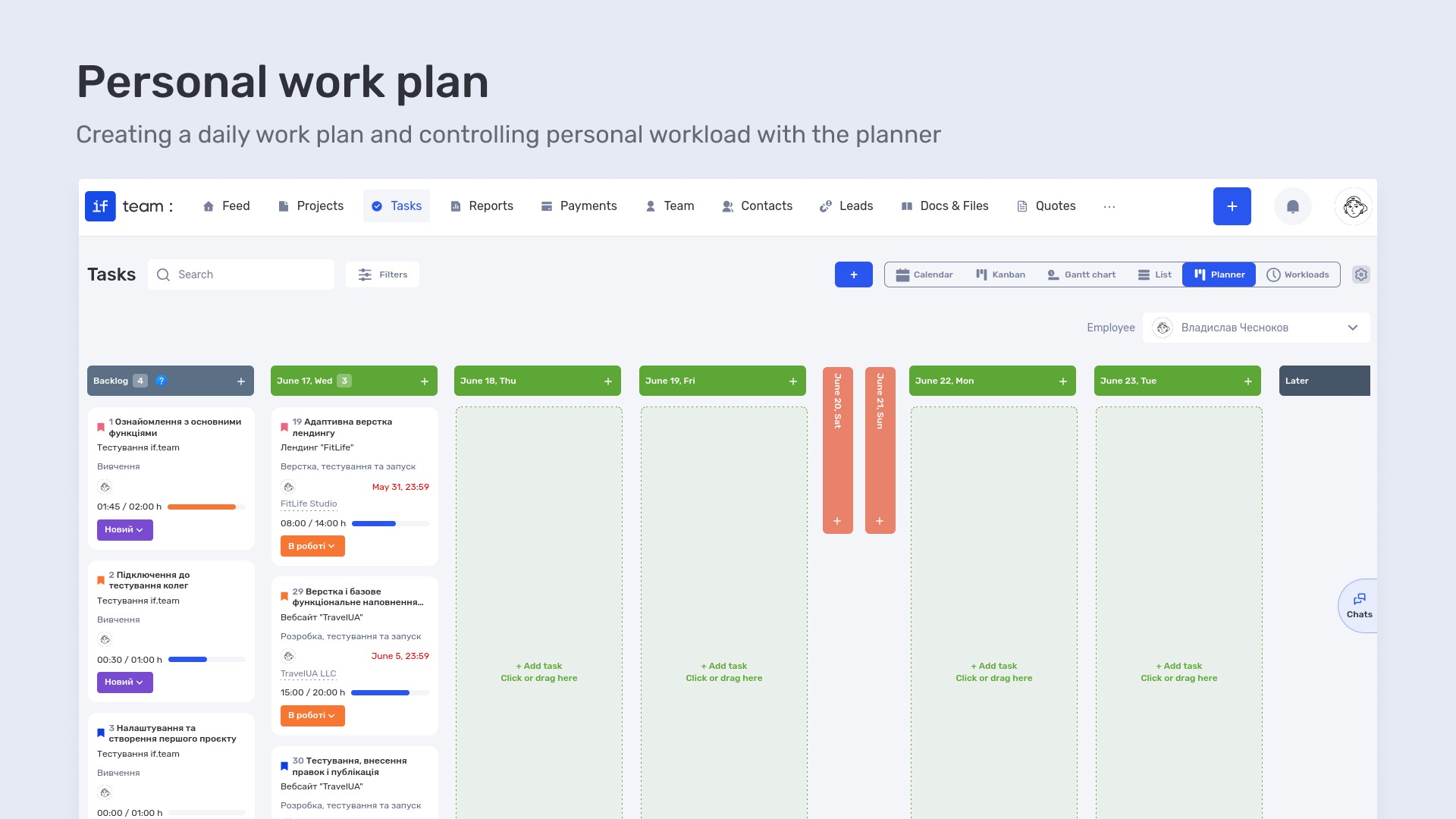
In their daily work, the company’s lawyers use the planner to create a personal task plan for the day. This makes it possible to see the structure of the working day and prioritize execution within the current workload.
For “Zakhyst Vlasnosti,” this is especially important because of constant changes in case priorities and the need to respond quickly to new tasks. The planner makes it possible to change the order of work throughout the day while maintaining control over each employee’s overall workload.
For executives and managers, the planner is also used as a control tool — they can view each lawyer’s work plan separately, track current occupancy, and quickly understand how workload is distributed across the team on a specific day.
For employees themselves, the planner is convenient because it gives a clear understanding of the plan not only for today, but also for several days ahead. This makes it possible to see their workload over time — today, tomorrow, and a week ahead — and better plan work without overloads or chaotic changes during the day.
How project economics are organized in the company
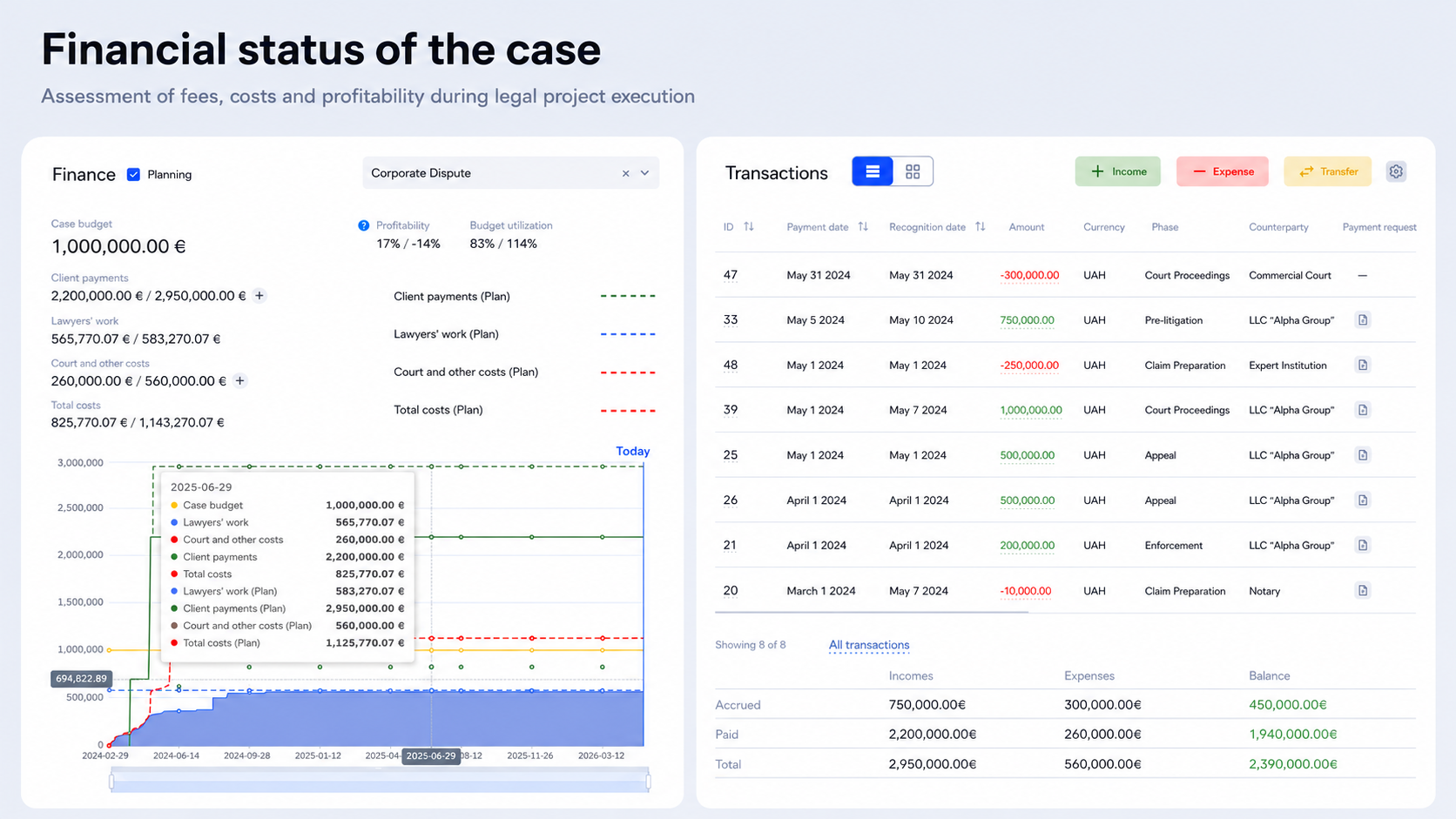
At “Zakhyst Vlasnosti,” project economics are built around an hourly model of work. The main part of the services is provided in a time & material format, where the cost of work directly depends on the actual time spent by lawyers.
Hourly model and commercial rates
In if.team, each project can have configured commercial rates depending on the type of services or the role of the executor. This makes it possible to account for different work costs within one project and accurately calculate the cost of completed tasks.
Each logged hour is automatically accounted for within the corresponding rate, forming the cost of work on tasks and projects in real time.
Calculating the cost of projects and services for clients
Based on the time spent, the total cost of work within a project is formed. This allows the company to summarize the volume of services provided and use this data to invoice clients.
In this way, each project has a transparent cost structure, where it is clear how the final cost of work is formed.
Calculating employee payments
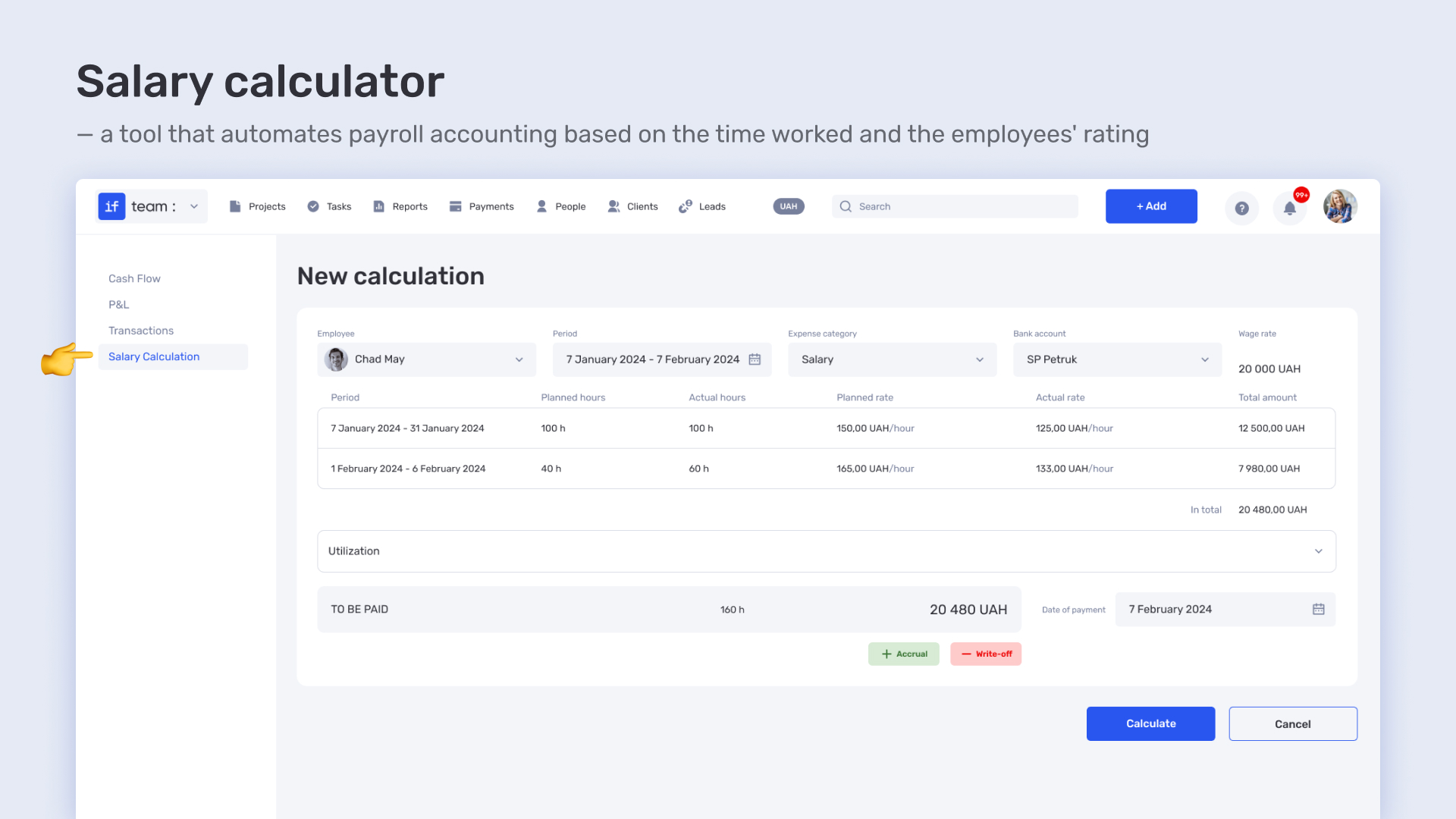
The system is also used separately to calculate employee compensation. Payments are formed based on the actual time worked and configured rates, which depend on the role or working conditions.
This makes it possible to automate the calculation process and connect payment directly with the work performed within projects.
How reporting and management analytics are organized in the company
At “Zakhyst Vlasnosti,” reporting is used as part of the daily management of the team’s work. Managers do not work with separate reports after the fact, but with up-to-date data on tasks, projects, and workload that is updated during the work process.
This makes it possible to quickly assess the state of affairs across the company: where tasks are accumulating, how work is distributed among lawyers, and how workload changes over time.
Reports on projects, tasks, and time spent
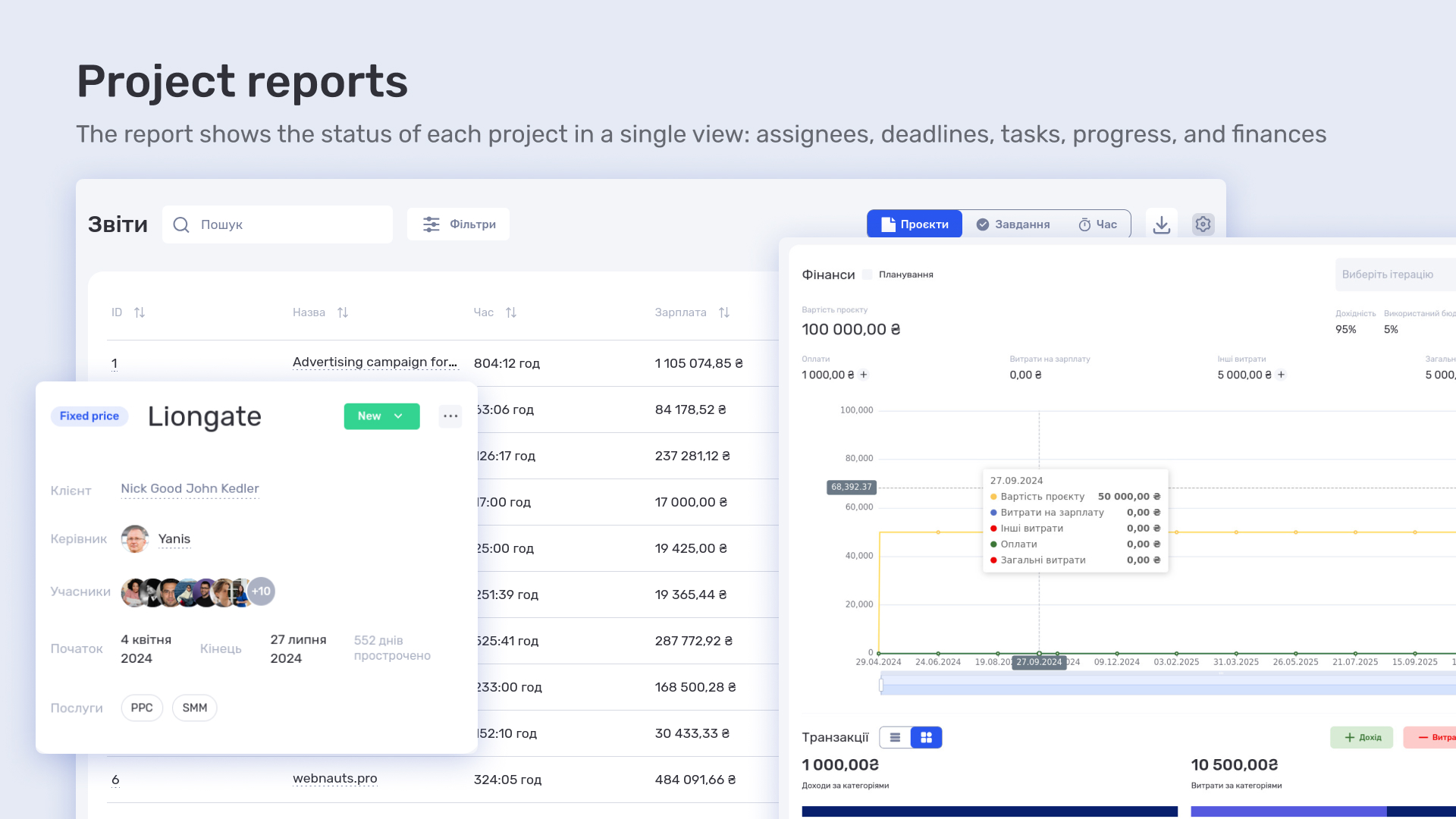
Reports are used as the main tool for analyzing the work of the team and projects. They bring together data on tasks, projects, and actual time spent, which can be viewed across different dimensions — by employees, roles, projects, and periods.
In the company’s work, this makes it possible not only to see completed tasks, but also to understand the structure of the workload: who spends time on what, how work is distributed between areas, and how this affects the overall volume of projects.
Workload calendar and workload management
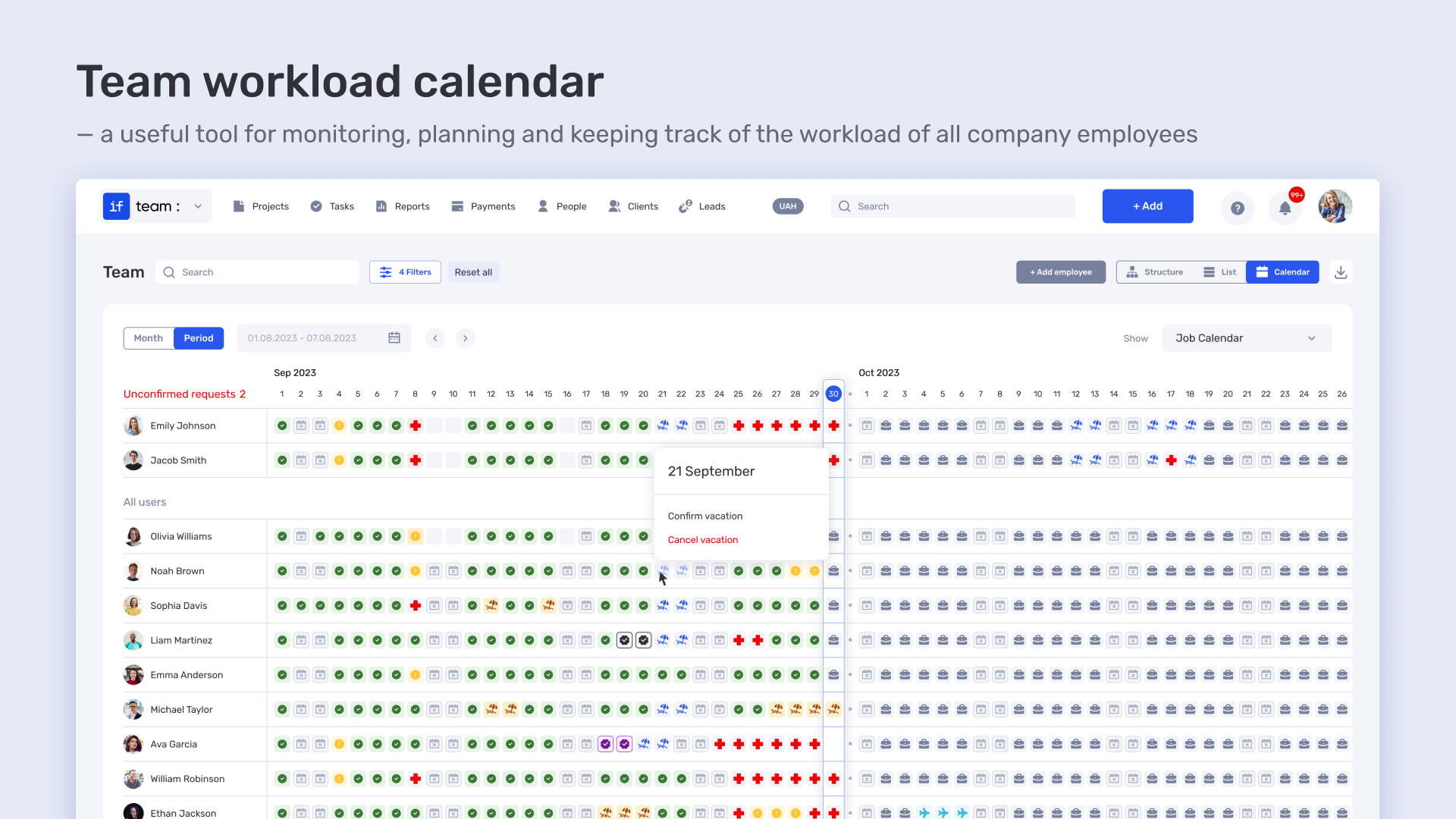
The Workload calendar is used to plan and balance the team’s workload in the real work process. It shows both planned and actual employee occupancy, allowing managers to quickly respond to overloads or available resources.
The calendar takes vacations, sick leaves, and working days into account, forming a complete picture of the team’s availability within the company. Based on this data, it is convenient to redistribute tasks between executors and balance workload between projects.
How “Zakhyst Vlasnosti” uses if.team for project management and time tracking
For “Zakhyst Vlasnosti,” if.team became a single system that brings together the key work processes of the legal team — from task assignment and daily planning to time tracking, project economics, and management reporting.
The company received a connected model of work where all elements are linked to each other: tasks form the structure of work, time spent determines the volume of execution, and project economics reflect the actual cost of the team’s work.
This allowed management to work with an up-to-date picture of workload and project status without additional checks or manual summaries, while lawyers could organize their daily work within one clear process.
As a result, if.team became not a set of separate tools for the company, but a complete working environment that connects operational work and management of the company’s results.
What is a KPI in simple terms? It’s one number or several numbers that show whether you’re actually moving toward a specific goal. Not how many actions you took, but whether a result appeared.
A KPI...
A bottleneck in business is the point where a process actually slows down. Not formally, but in reality. This is where tasks pile up, waiting time increases, and the entire system starts working more...
The RACI matrix helps teams quickly agree on who does what in a project: who performs the work, who is accountable for the final result, who provides expertise, and who needs to receive updates. When...